AD Recommendation
Join Now
Important: Please do not trust the content and ads of various websites easily! Recommended reading: Safety Tips
TopCPU
Scan to visit on your phone
3wks agoupdate 822 00
0

TopCPUTopCPU

CPU and GPU graphics card specification comparison and performance ratings


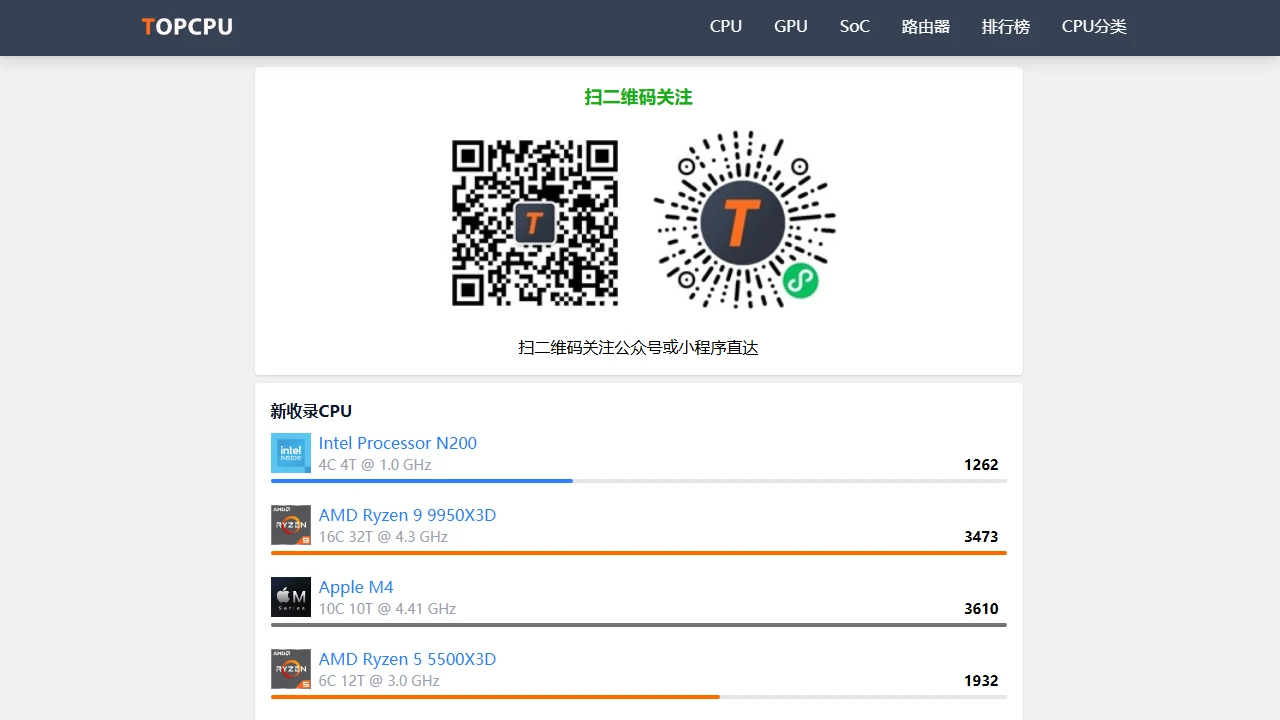
Screenshots

TopCPU

Want to build a PC that balances gaming and light design, but still can’t decide between the i5-14400F and R5-7500F after scouring forums? Staring at a pile of parameter tables only leaves you more confused, worried about overpaying or picking an overkill model — in fact, many PC builders have been in this situation. A tool that can break down and compare CPU and GPU performance can save a lot of hassle.

Figure out your needs first

Official website: https://www.topcpu.net/

Many people search for hardware by typing “which CPU is more powerful” first, but the results are either too general or outdated data from years ago, which doesn’t match their actual use cases at all. TopCPU was built to solve this problem. Its core functions are all designed around the actual needs of regular users and professionals, with no flashy gimmicks.

Make parameter comparisons straightforward

Take the i5-14400F and R5-7500F mentioned earlier for example. Open TopCPU, input both models and you can directly pull up the comparison page. Key metrics like core count, clock speed, and cache are laid out side by side, so you don’t have to copy them one by one from the parameter table. For instance, the former has 10 cores and 16 threads, a base clock speed of 2.5GHz, and a maximum boost clock of 4.7GHz; the latter has 6 cores and 12 threads, a base clock speed of 3.8GHz, and a maximum boost clock of 5.1GHz. All these data are directly taken from official sources and real-world tests, so you don’t need to check elsewhere.

Besides CPUs, GPU comparisons work the same way. Confusing parameters like video memory capacity and memory bus width are clearly marked on the page, so you won’t accidentally pick an entry-level GPU as a mid-range one by misreading the bus width.

Avoid pitfalls with ratings and benchmark scores

Parameters alone aren’t enough — you also want to know how much difference these two CPUs make in real use. TopCPU’s performance ratings are calculated based on tens of thousands of real-world test data, not just random star ratings. The benchmark scores it includes are official results from mainstream tools like Geekbench 5 and Cinebench 2024, so you won’t be fooled by modified fake data. For example, the i5-14400F has a single-core score of around 2000 and a multi-core score of about 12000; the R5-7500F has a single-core score of 1800 and a multi-core score of 10000. With these numbers, you can directly match them to your use cases — if you only play games like LOL and CS2, the latter is more than enough and will save you some money.

Use it step by step following the workflow

When you first open TopCPU, you’ll probably notice the intuitive performance ladder chart. You can see the performance ranking of all CPUs and GPUs without scrolling, and products in the same price range are marked on the same horizontal line, so you can quickly know where your selected model stands in the overall market. For example, if your budget is 1500 yuan, the high-end models are above, entry-level ones are below, and the ones in the middle fit your budget — no need to search for each model and check its price one by one.

If you’re a professional in the field, like someone who builds PC configurations, TopCPU’s database is updated in real time. Newly released CPUs and GPUs are added within a few days, so you won’t be misled by outdated platform parameters. It doesn’t make random recommendations — all data is objective, so you can compare the power consumption and heat output of different models yourself, and create plans for different scenarios — like choosing a low-power CPU for office users, or a model with high boost clock for gamers.

I once helped a friend choose a GPU. He originally liked an old mid-range model, but after comparing it with the latest GPU in the same price range on TopCPU, he found that the latter had a benchmark score nearly 20% higher and power consumption 10W lower. In the end, he switched to the new model and hasn’t regretted it for over half a year. This kind of real test data is much more reliable than subjective reviews on forums.

No need to hunt for information yourself

Many people check hardware by visiting several websites at the same time — looking at parameters, then benchmark scores, then the performance ladder chart. Switching between pages easily leads to missing information. TopCPU integrates all these functions into one place. When you look up a model, you can see all its relevant data without jumping around.

Its information doesn’t expire — for example, CPU performance data from last year is still available this year, making it easy to compare the upgrade between old and new products. If you’re building a PC for the first time and not very familiar with hardware, TopCPU’s interface isn’t too complicated. You don’t need to read a bunch of explanations for technical terms; key metrics are marked with simple text, like “good for gaming” or “good for design”, so you don’t have to guess.

In short, whether you’re a regular PC builder or a hardware professional, TopCPU’s core is to help you avoid detours, not waste time on scattered information, and quickly find the CPU and GPU that meet your needs. It doesn’t have complicated functions — it just does the most practical comparisons and data thoroughly, which is more than enough for people who need to choose hardware.

Relevant Navigation

No comments

You must be logged in to leave a comment!
Login immediately
none
No comments...