AD Recommendation
Join Now
Important: Please do not trust the content and ads of various websites easily! Recommended reading: Safety Tips
GlitchyImage
Scan to visit on your phone
4wks agoupdate 768 00
0

GlitchyImageGlitchyImage

Online glitch art image generator


Screenshots

GlitchyImage

Don’t fall for the pitfalls of glitch art tools

Many people want to create glitch-style Douyin covers or profile pictures, but either they have to install several gigabytes of professional design software, struggle for a long time without getting the desired effect, or the online tools they find have watermarks, making the exported files unusable directly — a waste of effort. GlitchyImage avoids these pitfalls perfectly; it’s a glitch-style generator that’s really easy for ordinary users to get started with.

Official website: https://glitchyimage.com/

Quick tool comparison: choose lightweight or install large software?

I’ve specifically compared the differences between GlitchyImage and Photoshop for creating glitch styles, making it clear for people with different needs. If you just want to make a Douyin cover, Xiaohongshu image, or change to a glitch-style profile picture, GlitchyImage is enough — it doesn’t take up computer memory, works directly in your browser, and all operations are clicking buttons to adjust parameters, no need to remember keyboard shortcuts.

If you already know how to use Photoshop and want to make dynamic glitch videos or complex poster layouts, you still need to use professional software. After all, GlitchyImage is designed specifically for static glitch images and can’t replace Photoshop’s full functionality. But for most people who only need static glitch assets, GlitchyImage’s lightweight design perfectly meets their needs.

A few practical details about this tool

No need to prepare assets in advance — just upload directly

With other online tools before, you had to crop images to a square, adjust colours, then upload — wasting a lot of time. GlitchyImage eliminates this hassle: whether you upload a landscape photo taken on your phone, an edited portrait, or a JPG/PNG file, just click upload to start adjusting glitch effects, saving a lot of pre-preparation effort.

17 glitch styles — no need to guess to find the right one

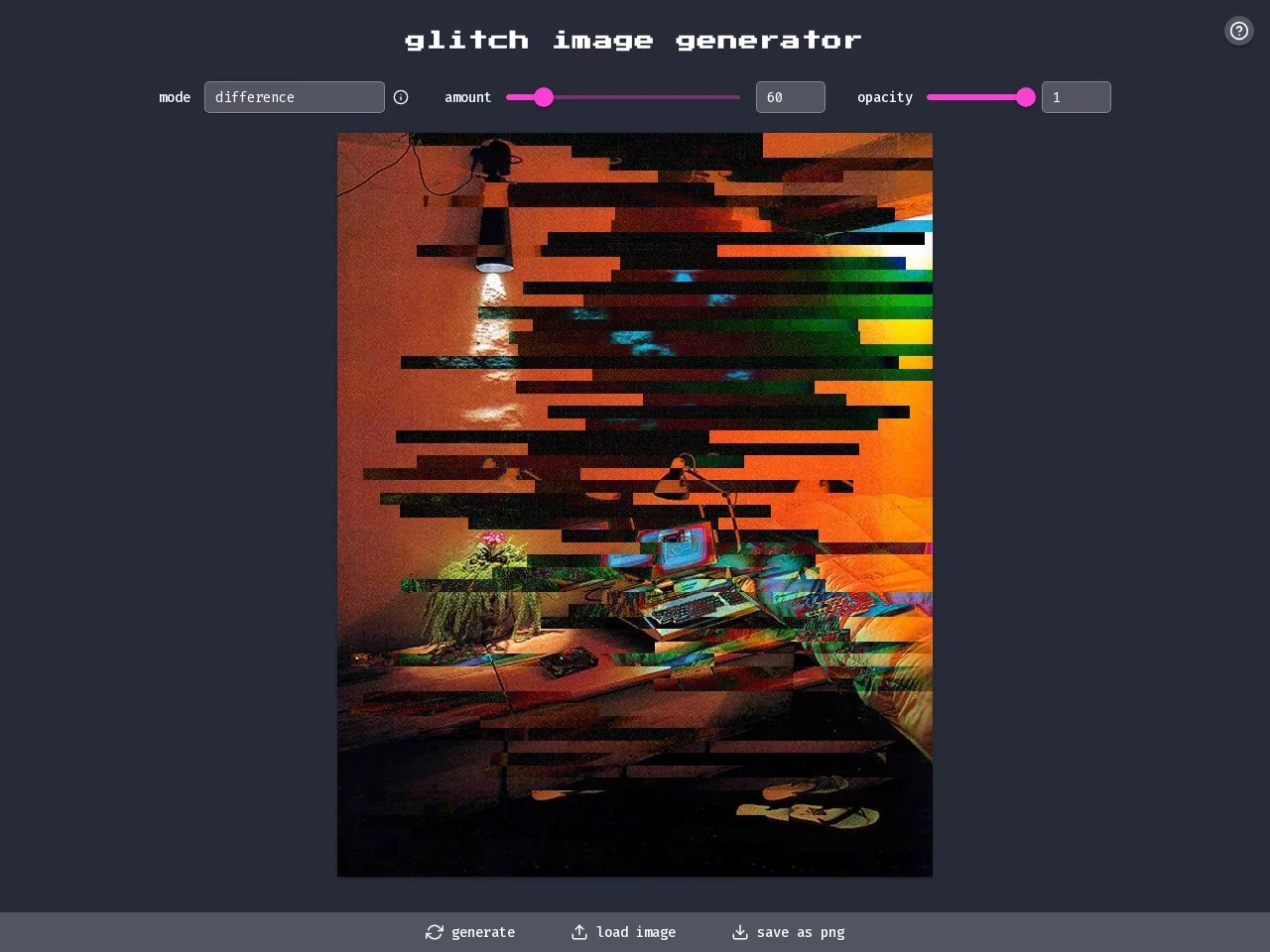
It offers 17 glitch style modes, from classic colour shifting to screen tearing effects, each with real-time previews. When I tested it, I uploaded a daily photo, selected the ‘difference’ mode, adjusted glitch intensity and opacity, and in less than two minutes created the high-contrast glitch style common on Douyin — no need to fumble with a bunch of parameters.

Export without watermarks — high-definition images ready to use

Another pitfall I’ve encountered before is that some online tools export images with semi-transparent watermarks, which you have to remove with editing software when making videos — very troublesome. GlitchyImage exports high-definition PNG images with no watermarks at all. Whether it’s a Douyin cover, WeChat profile picture, or Moments image, you can use it directly without further processing.

Using it in these scenarios is much more convenient than hiring a designer

When changing your profile picture or making Moments images, use GlitchyImage: upload a selfie, select your favourite glitch mode, and create a unique profile picture in one minute — no need to pay a designer hundreds of yuan for a custom one.

Short video creators making Douyin covers can quickly create high-impact visual effects, which are more eye-catching than plain solid-colour covers and boost content click-through rates. Small business owners making product images can also directly generate glitch-style posters with it, avoiding repeated revisions with designers — saving time and money.

When catching up on trending topics, this tool is even more practical. For example, during festivals, you can create festival-themed glitch-style images in a few minutes, perfectly matching the ‘quick and efficient’ pace of modern content creation — no need to prepare assets in advance or wait for a designer.

Relevant Navigation

No comments

You must be logged in to leave a comment!
Login immediately
none
No comments...