懒人图云Online tool for photo collage creation
Screenshots

Want to make photo collages or icon clouds quickly? What troubles can Lanrentuyun help you save?
When making commemorative photo albums, illustrations for office presentations, or brand promotional materials, do you always waste time switching between multiple tools? You don’t even understand basic design but want to make neat collages or creative visual content? In fact, Lanrentuyun is designed to solve these problems. You don’t need to install any software — just open your browser to handle all your photo-related creative needs.
Official website: https://www.lanrentuyun.com/
What specific photo creative content can Lanrentuyun create?
Many people worry that tools are too limited in functionality or that they need multiple tools to get the job done. Lanrentuyun integrates all photo stitching needs into one place — from basic photo combinations to advanced creative visual content, you can create everything directly here.
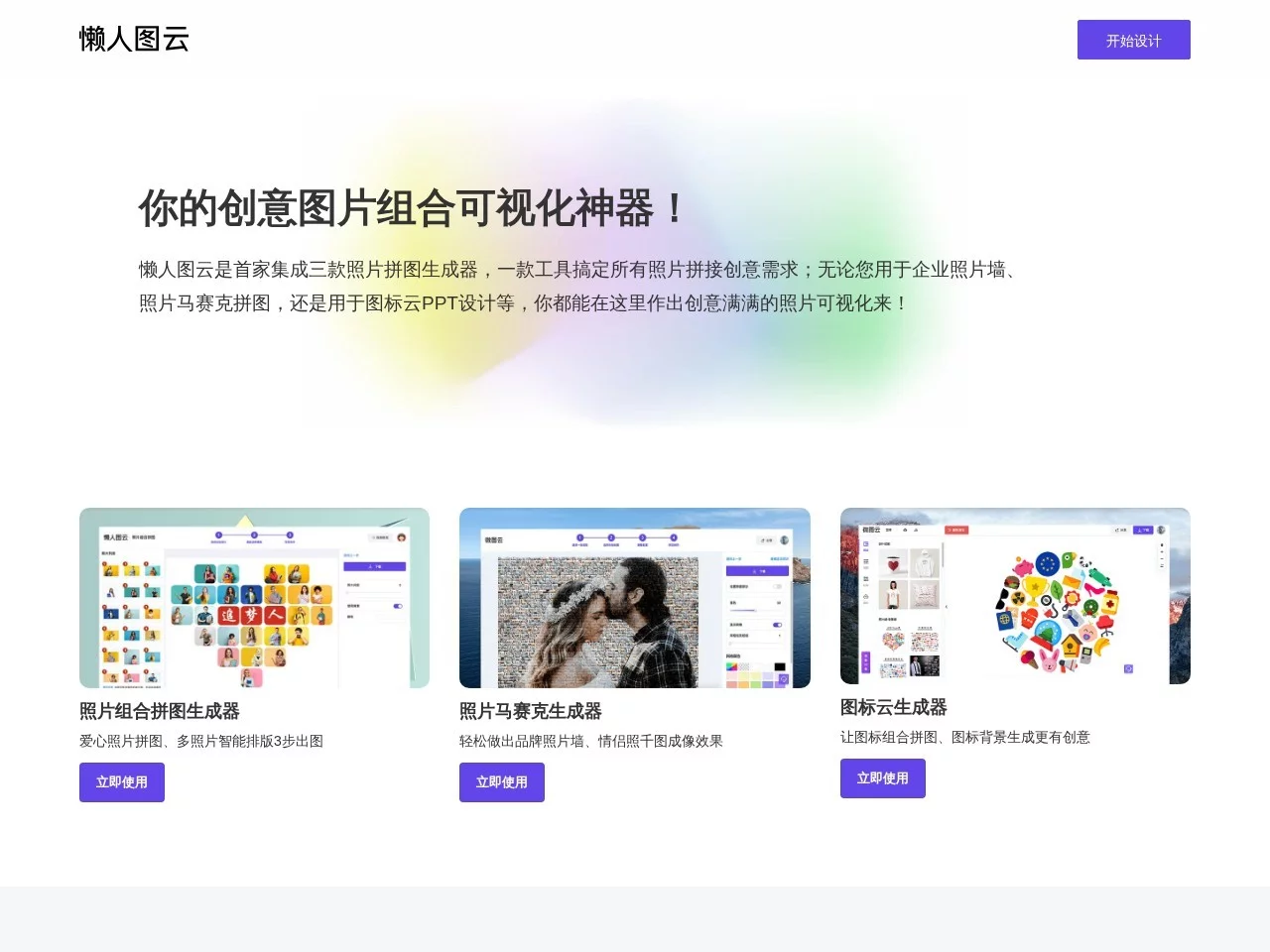
- Basic photo stitching: You can make regular collages, photo walls, and free templates categorized by shape and quantity, such as circular collages and 3×3 grids, without adjusting the layout yourself.
- Advanced creative content: In addition to collages, you can create photo mosaics, icon clouds, and even personalized word clouds, combining text and images for unique effects.
Can you use it without design experience? Is Lanrentuyun really easy to operate?
Many people, when it comes to creative tools, worry about having to learn complex shortcuts or spend ages tweaking details. Lanrentuyun’s operation logic is step-by-step: upload materials, adjust parameters, generate effects — every step is easy to understand, no need to remember complex operation rules.
Take a practical example: when making a word cloud, just upload your prepared text content, choose a shape (such as a heart or circle), adjust the spacing and size of the text, click generate, and you’ll get the result in less than a minute. Even if it’s your first time using it, you won’t make mistakes. The platform also comes with detailed user guides, so you can directly find solutions to common problems without repeatedly searching for tutorials.
What practical problems can Lanrentuyun solve for personal and office scenarios?
Different people have different needs for tools: students need to make graduation souvenirs, office workers need illustrations for PPTs, and enterprises need promotional materials — Lanrentuyun can meet all these needs, so you don’t have to find different tools separately.
How much time can be saved for personal use?
For students making graduation souvenirs, you don’t have to upload photos to three different tools and then stitch them together. Just use Lanrentuyun’s graduation collage template, upload class photos and daily snapshots, and you can make a printable souvenir in 10 minutes. For couples making anniversary gifts, upload 10 daily photos, choose a heart-shaped collage template, adjust the layout, and you can generate an electronic souvenir that can be shared directly, without repeatedly adjusting with photo editing software.
Can it improve efficiency for office use?
When making PPT presentations, you need to create icon clouds to replace boring text. In the past, you might have to find several online tools to make icons and clouds separately. Now with Lanrentuyun, upload the required icon materials and text content, and you can generate a neat icon cloud in 5 minutes, which can be directly inserted into the PPT. For enterprises making photo collages for cultural walls, upload photos of employee activities, choose a template, adjust the layout — you don’t need to hire a designer, and administrative staff can handle it themselves, saving at least 2 hours of production time.
Does Lanrentuyun’s detailed design really lower the creative threshold?
Many tools only provide functions without telling users how to use them, so beginners often get stuck on details. Lanrentuyun has added targeted support to each functional module: for example, the collage function prompts “It is recommended to upload photos no less than 200KB in size to avoid blurriness”, and the photo mosaic function explains “Adjust the pixel density value — the higher the value, the clearer the details”.
There’s also a practical small detail: users can upload 1-2 photos first to preview the effect, adjust parameters if they are not satisfied, instead of uploading all materials at once. Even when making a complex photo wall, you can adjust the position of a single photo at any time without re-uploading all content. These small designs help avoid detours and make creative implementation smoother.