AD Recommendation
Join Now
Important: Please do not trust the content and ads of various websites easily! Recommended reading: Safety Tips
getwaves
Scan to visit on your phone
4wks agoupdate 647 00
0

Screenshots

getwaves

Skip the pitfall of drawing waves by hand — try Getwaves

When doing graphic design, web UI, or presentations, if you want to add a lively wave element to your work, many people’s first instinct is to trace lines manually with the pen tool. But anyone who has tried it knows that to make waves smooth rather than stiff, you have to repeatedly adjust anchor points and change curvature, and even half an hour may not produce a satisfying result — this is the most common pitfall. Getwaves, a free online SVG wave generation tool, solves this problem specifically. No software installation needed — just open it and start using it, saving you plenty of time.

Official website: https://getwaves.io/

First, get clear about your needs

Many people open the tool and randomly tweak parameters, only to end up with waves that are either too complex to use or don’t match the project’s style. In fact, clarifying your needs first can save a lot of detours.

Clarify the use case

Web design, PowerPoint presentations, and graphic posters — these three scenarios have completely different requirements for waves. For web use, keep it as simple as possible to reduce loading burden; for PowerPoint, it should be easy to edit further; for posters, it should blend with the main colour scheme.

Confirm format requirements

If it’s for web use, SVG format is the most suitable — vector images won’t blur when scaled up or down, and can be embedded directly into code without loading extra images. If you need to import into Photoshop or use for large-format printing, SVG format is also the way to go — avoid bitmaps, otherwise the result may blur easily.

Practical tips for using Getwaves

This part is all concrete operations you can use directly — no need to memorise complex steps, just follow along.

Quick results with basic adjustments

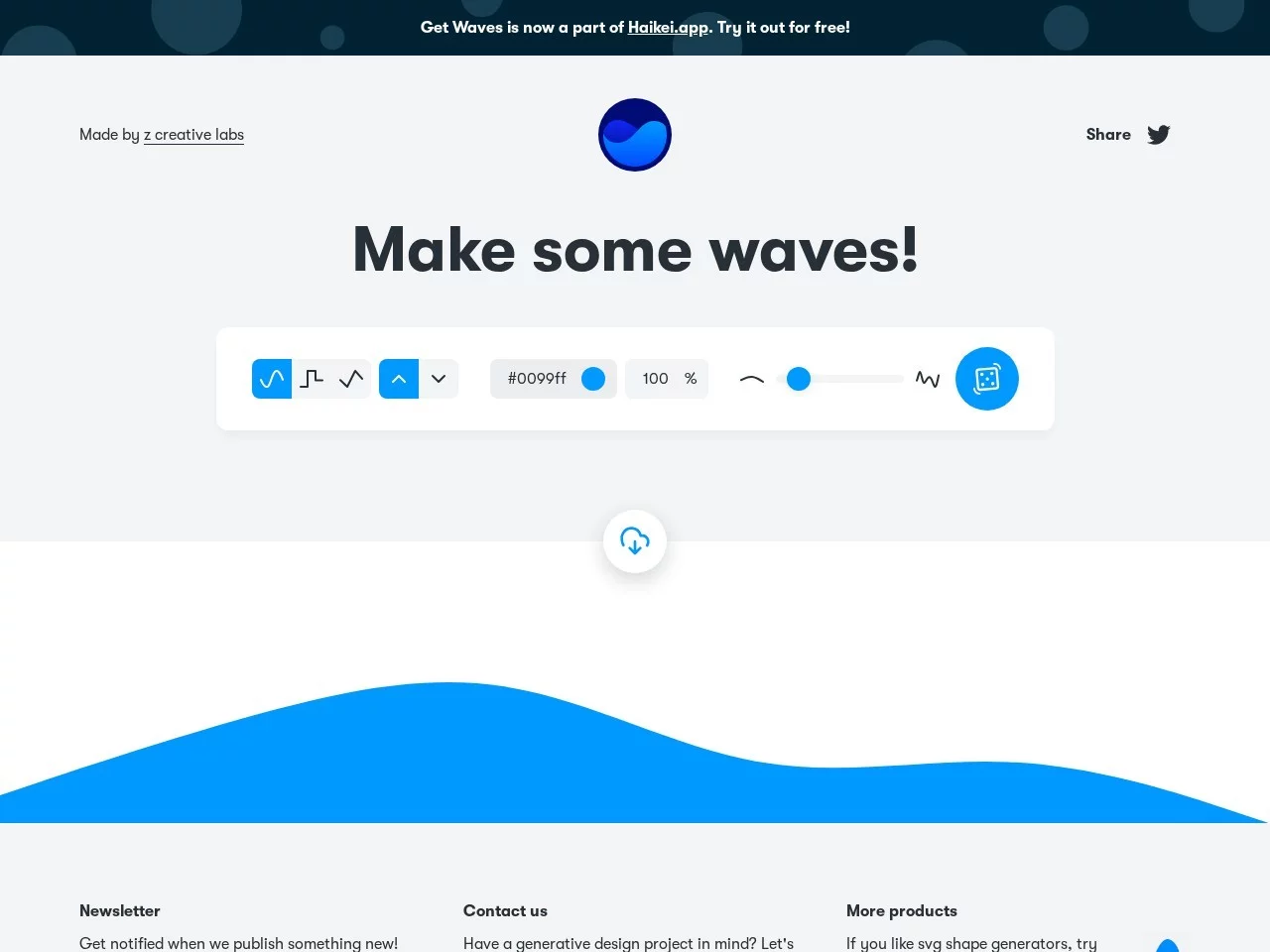
After opening the official website, the page will automatically load a default wave. Start by adjusting the basic parameters in the sidebar — for example, choose between a smooth curve or a traditional undulating wave, set the wave position to top, bottom, or fullscreen, then tweak the colour and opacity, and you can quickly build up a basic effect.

  • Zero-barrier operation: no software to download — just open the webpage and get started; even design beginners can learn quickly without spending time on complex features
  • Multi-dimensional customisation: adjust wave type, position, colour, opacity, and density — effects from minimalist to complex are all possible
  • Highly compatible export: the generated SVG format can be embedded directly into web code, or imported into commonly used design software like Photoshop and PowerPoint
  • Adaptable to all scenarios: works for web backgrounds, print materials, PowerPoint covers, and poster design, adding polish to your work
  • Completely free: all core features are free to use, with no paywall and no hidden charges

To keep waves from looking cluttered, you need to control the density. Too dense looks messy, while too sparse lacks atmosphere — just adjust according to the whitespace needs of your design.

Tips for different scenarios

Using waves in different places calls for corresponding tricks that make the effect better fit your needs.

  • Web design: embed the generated SVG code into your page’s CSS or HTML — no extra image loading, which reduces page load time; you can also adjust colour and opacity via CSS properties, or even create dynamic effects
  • PowerPoint creation: after importing the SVG, ungroup it so you can further adjust size and position to fit different slide layouts — adding waves makes slides livelier
  • Graphic design: after importing into Photoshop or Illustrator, you can edit the wave paths, add gradients, or layer other elements for a more distinctive effect
  • Poster materials: adjust the wave’s density and colour to blend with the poster’s main colour scheme; used as background or decoration, it enhances the overall atmosphere

Beginners don’t need to start from scratch — first pick one of the recommended preset styles, then fine-tune the parameters, and you can quickly get a usable effect without guessing at wave shapes yourself.

Getwaves’ distinctive advantages

There are plenty of online design tools nowadays, but what makes Getwaves a regular go-to is that it avoids redundant features, focusing solely on the core need of wave creation and solving the hassle of drawing them by hand.

Compared with other tools — some of which only generate fixed formats or offer few parameters — Getwaves supports full-parameter customisation while also exporting vector SVG. It meets the clarity professional designers demand, and beginners can use quality elements without spending a penny.

It is also a lightweight web tool that takes up no local space and needs no regular updates. Whether on an office computer or a laptop on the go, just open the official website and use it — create anytime, anywhere.

For designers who use waves frequently, it cuts down repetitive work — no need to manually adjust line colours every time; just change the parameters to generate patterns that meet your needs, freeing up time for creativity and core design, and boosting efficiency considerably.

Relevant Navigation

No comments

You must be logged in to leave a comment!
Login immediately
none
No comments...