AD Recommendation
Join Now
Important: Please do not trust the content and ads of various websites easily! Recommended reading: Safety Tips
PatternPad
Scan to visit on your phone
3wks agoupdate 662 00
0

PatternPadPatternPad

An online design tool for creating background patterns


Screenshots

PatternPad

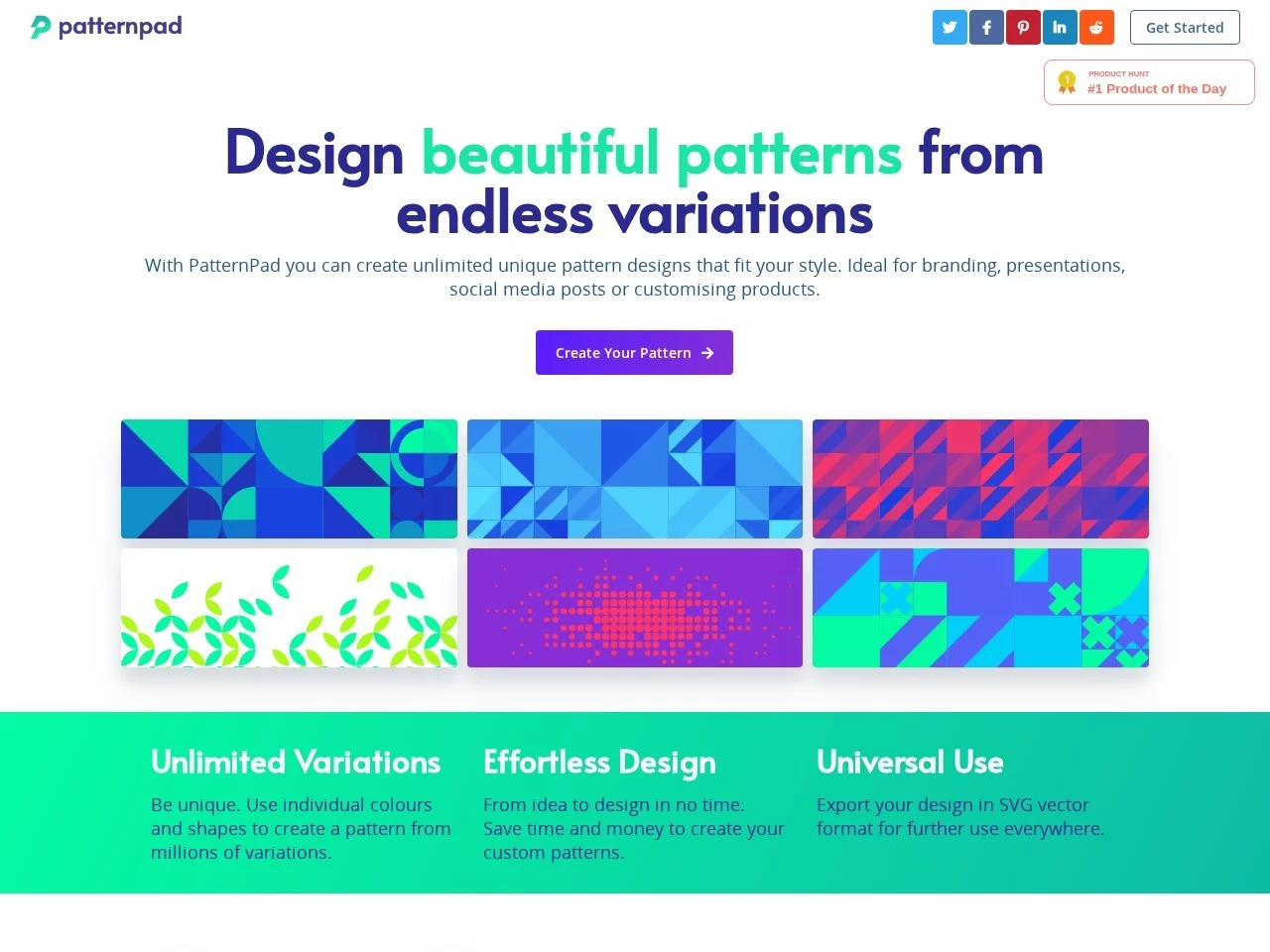
Struggling to find the right background pattern for your brand posters? Fed up with social media image backgrounds that look like everyone else’s? Want to give your presentation slides a distinctive background without wasting time? This post sorts out these little annoyances — you can create your own vector patterns without any complicated skills.

A Ready-to-Use Online Pattern Tool

Official Website: https://patternpad.com/

A Hassle-Free Tool That Requires No Sign-Up

Most design tools make you fill in a pile of information to register, but this one doesn’t — just open the official website and get started. Whether you’re a design professional or an ordinary user who only dabbles in image editing, you can start tweaking patterns right away with no preparation needed.

Its operation is straightforward — no need to memorise shortcuts or understand complex design logic. Just follow the options on the page, and a usable pattern appears after a few clicks.

Create Your Own Patterns Just by Adjusting Parameters

You can change the pattern’s colours, rows and columns, and density, and choose from different geometric shapes. Whether you want a minimalist linear style or a complex geometric combination, you can achieve it through these parameters, so your pattern won’t clash with anyone else’s.

It Saves You Plenty of Time

Fast Pattern Generation

No long waits for rendering — it generates a bunch of different patterns in seconds. There’s no repeated adjusting or waiting for results, so the time saved can go into polishing other details.

It’s also versatile in application — whether for creating unified visual backgrounds for a brand, images for social platforms, presentation slide backgrounds, or even decorations for product packaging, it comes in handy.

Free for Commercial Use Too

The tool is now completely free, and the patterns it generates can be exported in SVG vector format — fine for both personal and commercial use. It has even topped the Product Hunt daily rankings, so it’s hardly an obscure tool nobody uses.

Suitable for All Kinds of Users

Saves Effort for Professional Designers

When doing design work, there are always repetitive basic backgrounds to create. Using it to produce patterns quickly lets you spend your time on creative ideas and core design instead of burning energy on basic steps.

Lowers the Barrier for Ordinary Users

If you don’t know how to use professional design software, don’t worry — without learning complicated operations, you can create personalised patterns and add a unique visual element to your social content or personal works, free from skill limitations.

Handy Tips for Using PatternPad

  • Go straight to the official website without registering — stop hunting for similar tools that require sign-up and save yourself the form-filling
  • Don’t fiddle with parameters randomly — pick a basic geometric shape first, then fine-tune the colours and density for quicker results
  • Export patterns in SVG format — they stay sharp when enlarged, making them ideal for posters, packaging and other places that need high resolution

Relevant Navigation

No comments

You must be logged in to leave a comment!
Login immediately
none
No comments...