haikeihaikei — Free Online Background Asset Generator
Screenshots

Create Creative Backgrounds at Zero Cost — haikei Generator Becomes the Design Community’s New Favourite
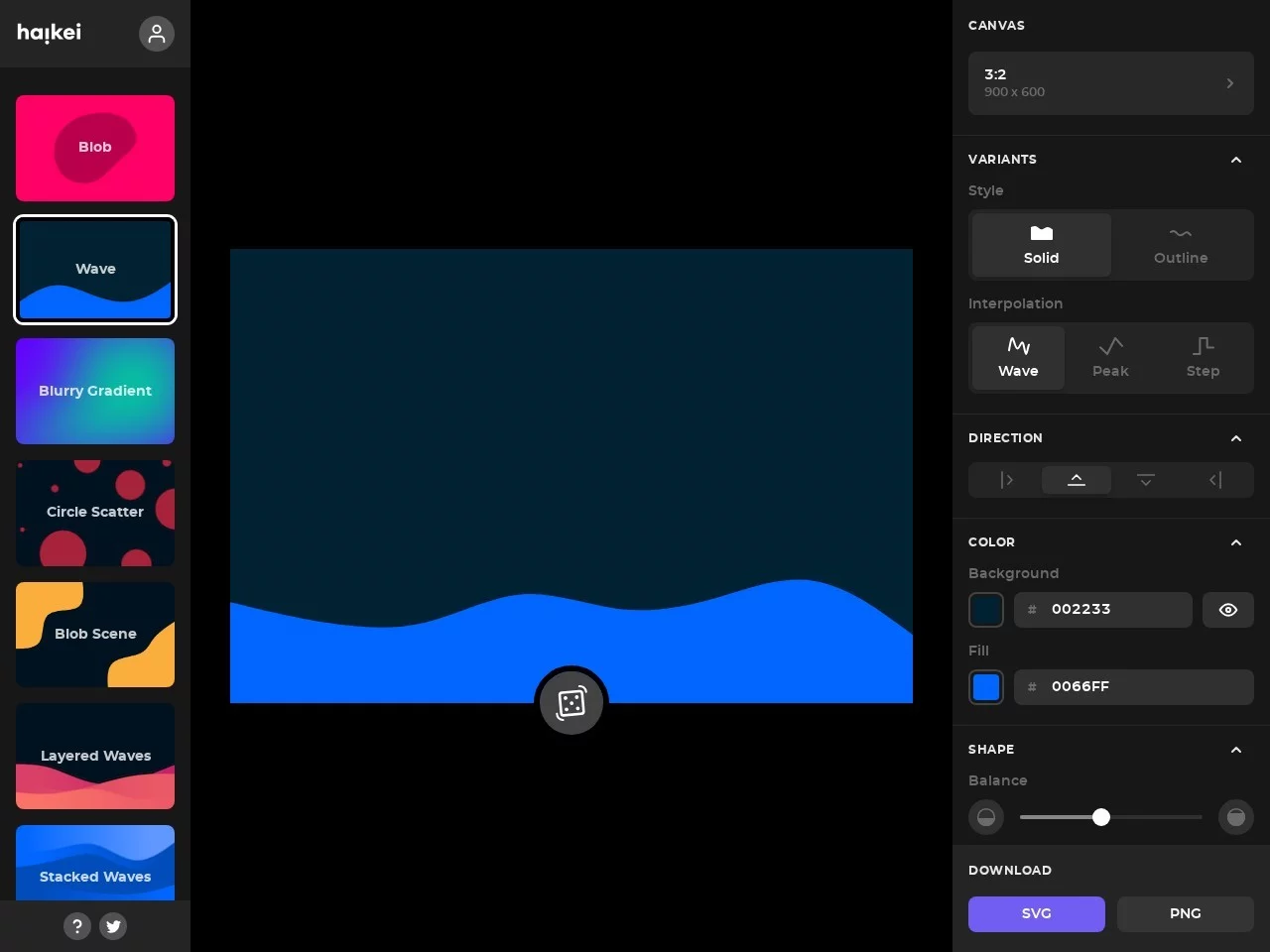
In everyday design work or personal creative projects, many people face the dilemma of “wanting to make a background but not knowing how to use professional design software”, or simply don’t want to spend time on complicated registration and download processes. The haikei background generator is an online tool born precisely to solve these pain points. It focuses on free, no-barrier SVG background creation, allowing everyone from design novices to seasoned designers to quickly produce visual content that meets their needs. As a lightweight online tool, haikei’s core strength lies in balancing feature richness with ease of use — you can master it easily without any professional design background.
Official website: https://app.haikei.app/
Core Features Breakdown: From Templates to Customisation, Covering All Design Scenarios
The haikei background generator is designed entirely around “efficient output”, offering ready-to-use templates for beginners while leaving plenty of room for customisation for users with specific needs. Unlike similar tools that are either too complex or offer too few templates, its core feature set adapts to the vast majority of background creation scenarios, and can be broken down into five practical modules:
- 15 mainstream templates covering diverse styles: including common styles such as stacked layers, waves, blobs, peaks, grids and gradients, plus patterns with special arrangements like waves, circles, rings and triangles — whether you want a minimalist, playful or tech-inspired look, you can find a matching base template;
- All-round parameter customisation: flexibly adjust canvas size (with preset recommended sizes or custom settings), template style, colour schemes, shape parameters, canvas orientation and more — even subtle details like shape curvature and colour gradient transitions can be precisely controlled;
- No registration required: start working straight from the official website, skipping tedious account sign-ups and form-filling, saving at least 10 minutes of preparation time;
- Dual-format downloads for multiple scenarios: generated backgrounds can be exported as SVG or PNG. SVG vector graphics can be scaled infinitely without quality loss, ideal for website banners, posters and other high-definition display scenarios; PNG format suits PowerPoint slides, social media and other scenarios with stricter file size requirements;
- One-click random generation to break through creative blocks: when you run out of design inspiration, simply click the random button to quickly generate brand-new pattern combinations, helping you break out of fixed thinking and discover unexpected creative directions.
All-Scenario Adaptability: What Practical Problems Can haikei Solve for You?
The limitation of many design tools is that they only serve a single scenario, whereas haikei’s background generation covers almost every everyday situation that calls for creative backgrounds. Whether for professional use or personal creation, you’ll find a suitable way to use it.
For office workers, PowerPoint presentations are a high-frequency use case. Many people spend hours hunting for materials or making backgrounds just to keep their slides from looking dull, but with haikei you can generate a bespoke slide background in 10 minutes — avoiding template clashes while quickly elevating the visual quality of your presentation. For content creators, whether it’s blog post covers, WeChat Official Account headers, or post backgrounds for Weibo and Instagram, haikei provides style-matched materials so you no longer need to pay for downloads from third-party platforms. Beyond that, it also meets website interface design needs — from homepage banners and section divider backgrounds to decorative elements on login pages, it can generate matching personalised styles. It can even be used to create backgrounds for posters, business cards, invitations and other small printed items, covering both online and offline design needs.
Why Is haikei the Go-To Tool for Users with Zero Experience?
For users without any design background, the learning curve of design tools is the biggest obstacle, yet haikei’s design logic fits beginners’ habits perfectly: no need to memorise complicated shortcuts or adjust professional colour values — just pick a template, tweak a few simple parameters and click download, three steps to finish your background. Even first-time users can get the hang of it within 5 minutes without feeling overwhelmed by too many features. Meanwhile, being free lowers the cost of trying it out — no worries about paying for something impractical. Whether you’re a hobbyist or a small team, you can use it with confidence.
Relevant Navigation
PatternPad
Wicked Backgrounds
fffuel