AD Recommendation
Join Now
Important: Please do not trust the content and ads of various websites easily! Recommended reading: Safety Tips
FlatUIColors
Scan to visit on your phone
4wks agoupdate 514 00
0

FlatUIColorsFlatUIColors

Online colour website focused on flat design


Screenshots

FlatUIColors

Online colour tool for flat design — how to use FlatUIColors efficiently

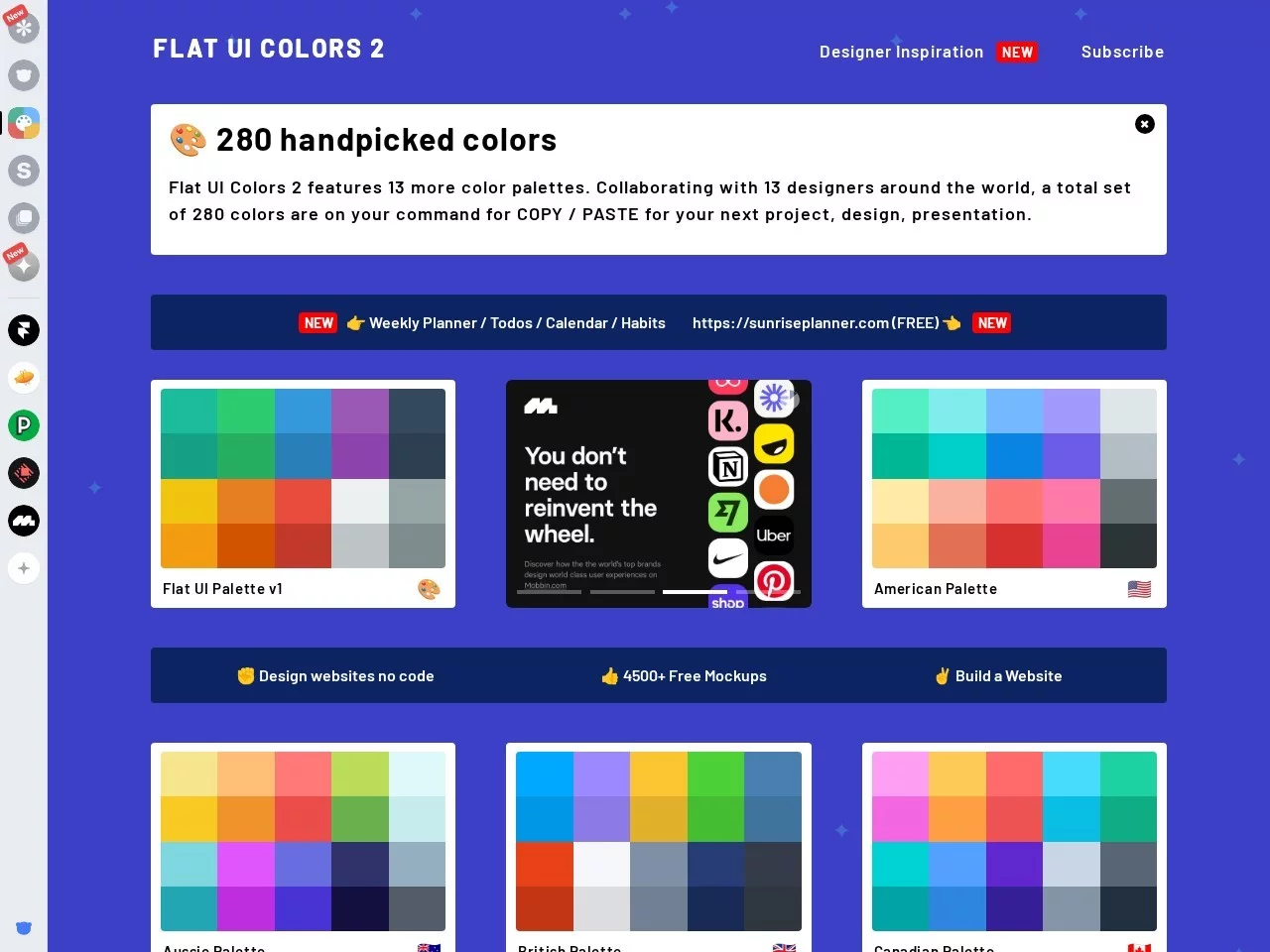
For professionals working on web and app interface design, the colour scheme choices of flat design directly affect the visual quality of their work. FlatUIColors, as a professional online colour platform, is a practical tool built to solve this need, helping designers quickly match colour schemes that meet modern aesthetics.

Official website: https://flatuicolors.com/

FlatUIColors’ core colour resources: a flat design palette covering all scenarios

Many designers looking for flat colour schemes often fall into the dilemma of either colours being too messy or styles being too outdated. FlatUIColors’ colour system avoids these problems perfectly. The platform integrates two core colour reserves: first, 14 theme palettes, each containing around 20 carefully selected colours, covering commonly used colour families for designers such as blue, yellow, and green, to meet basic colour scheme needs; second, 280 exclusive colours created in collaboration with 13 senior designers worldwide. These colours fully align with current flat design trends, and suitable options can be found for everything from main colour schemes for websites to detailed colouring for app buttons.

These colours also have a wide range of applications. In addition to common web design and app interface design (especially for adapting iOS apps to flat design), they can also be used in multiple design fields such as product posters and brand visual identity systems, helping designers quickly create harmonious colour combinations in different scenarios without spending a lot of time on colour adjustment.

FlatUIColors’ practical features: detailed design that triples colour scheme efficiency

For designers and developers, the practicality of a colour tool directly determines work efficiency, and FlatUIColors’ detailed design in this aspect is very tailored to actual usage needs. All displayed colours are clearly marked with six-digit hexadecimal values, which is a universal colour code format for design tools (such as PS, Figma, Sketch, etc.), requiring no manual conversion and can be directly pasted into design software for use.

Operational convenience is also prominent: users only need to click on any colour block to quickly copy the corresponding hexadecimal value to the clipboard, with no extra copying steps required, making it suitable for fast colour scheme scenarios. At the same time, the platform’s interface design is very simple, with clear colour classification logic, categorised by colour families and themes. Whether it is a novice designer or a senior professional, they can quickly browse and accurately find the required colours without repeatedly searching in a complex interface.

FlatUIColors’ usage tips: efficient colour scheme techniques for different groups

For different user groups, the usage of FlatUIColors can be flexibly adjusted. For novices new to flat design, they can start with the platform’s theme palettes: first select a palette with an overall style, then pick main colours, accent colours, and highlight colours from it. This allows them to quickly establish a harmonious colour system and avoid colour scheme chaos. For senior designers or developers, they can directly use the exclusive colours created in collaboration with senior designers on the platform. These colours have been professionally refined, adding a professional touch to works, especially when creating iOS-style mobile apps, where these colours perfectly align with the system’s visual specifications.

In addition, during use, you can also combine the platform’s classification function to quickly filter colours based on the type of design project. For example, when creating an environmental-themed website, directly select a green palette; when making a tech app, prioritise blue colours. This further shortens the preparation time for colour schemes, allowing more energy to be invested in creative design itself.

Why FlatUIColors is an essential tool for flat design

Now that flat design has become mainstream, high-quality colour scheme resources are key to enhancing the competitiveness of works. FlatUIColors, with its rich colour library, efficient operational experience, and wide applicability, has become an essential online tool for designers and developers. Compared with other colour platforms, its colours are more aligned with the core traits of flat design: simplicity, brightness, and visual comfort, without overly heavy or complex colour combinations, matching current users’ visual aesthetic habits.

Whether it is an individual designer handling small design projects or a team developing large apps, FlatUIColors can provide stable and practical colour support, helping users quickly find suitable colour schemes, making design work more efficient and professional, without spending too much time on colour scheme issues.

Relevant Navigation

No comments

You must be logged in to leave a comment!
Login immediately
none
No comments...