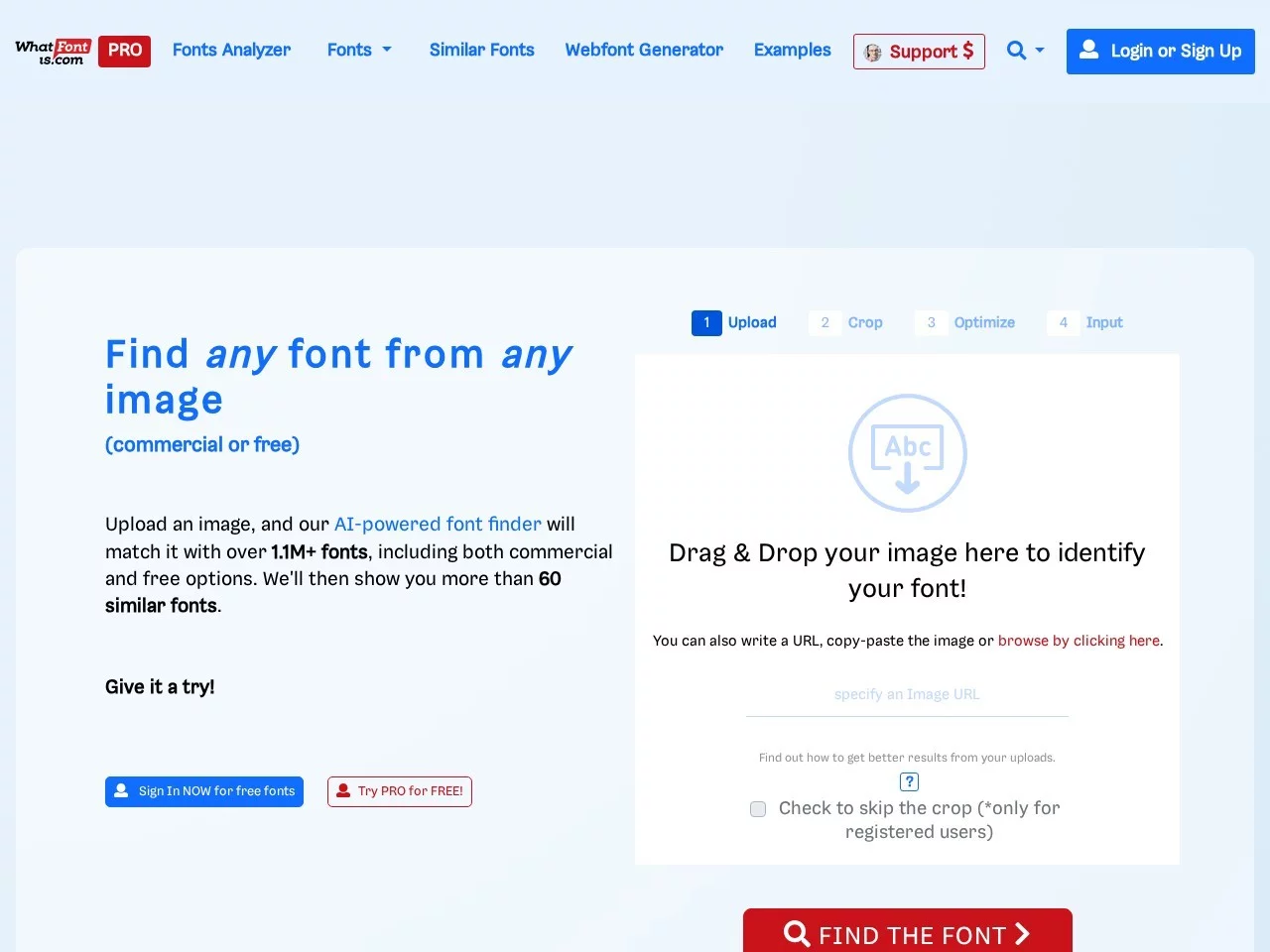
WhatFontIsWhatFontIs is a powerful online font identification tool that helps users quickly and accurately identify fonts from images. It analyzes font features in images through a...
Screenshots

When doing design or content creation, do you often encounter this situation: you see a font in a poster that’s particularly suitable, want to use it in your own work, but can’t name it, and can’t find the exact same one after searching online for a long time? If you’re stuck on the problem of font identification, this content will help you sort out the ideas to deal with it.
How to Find an Unrecognized Font
Last year, when I was revising a poster for a client, I encountered such a trouble: the title font in the reference image they sent looked fresh and neat, and I wanted to use it directly in the new promotional page, but couldn’t find it in my entire font library. Later, a colleague recommended WhatFontIs, which solved this tricky problem.
Official website: https://www.whatfontis.com/
At that time, I chose this tool because of its actual performance. Its recognition accuracy exceeds 90%. Even if the font is a bit blurry, the image has minor damage, or there is sporadic interference in the background, it can give reliable matching results and won’t give ambiguous recommendations casually. Its font library is also large enough, with over 990,000 fonts included. It not only has commercial fonts from major mainstream font foundries, but also many free and open-source fonts, covering almost all needs whether for commercial or personal use. The operation is not complicated either. In addition to uploading local images, you can also enter the web address of the image, or even manually input the text in the image as assistance. The system will automatically separate the letters in the image. If the recognition effect is not good, you can adjust the brightness, contrast, or cut off the excess background, which can help improve the recognition accuracy.
It’s also very convenient to use in daily life. Whether you open it via a browser on a computer, or access it on a mobile phone or tablet, it works normally without missing functions or lagging for a long time.
The Whole Process of Font Identification Step by Step
People who are new to this tool don’t need to worry about not understanding the steps; just follow the actual operations. I’ve organized the specific process from uploading an image to getting the result, with practical details for each step, which can help you avoid a lot of detours.
- Choose a clear image as the material; don’t use blurry, dimly lit or heavily occluded ones. The higher the quality of the material, the more accurate the result will be;
- After entering the tool page, either click the upload button to select a local image, or enter the web address of the image. If the font has low recognizability, manually inputting the text in the image can help the system judge more accurately;
- If the system’s recognition effect is average, adjust the brightness, contrast, or cut off the useless background to reduce interference;
- After completing the operations, the system will list more than 60 similar fonts, and you can choose the appropriate ones according to needs such as style and whether it can be used commercially.
If you really get stuck in operations, just check the help center on the official website. It has guides for different scenarios, and most problems can be solved.
The Practical Uses of This Tool for Different People
This tool is not only for professional designers; people of different identities can find suitable uses for themselves. It also provides two versions, which can be chosen according to your needs.
Practical Uses in Different Scenarios
When professional designers work on projects, if they need to find alternatives to a specific font or match the font style of a reference image, using this tool can help them quickly find a suitable solution without rummaging through the font library for a long time; for people in advertising or photography, when making posters or processing works, accurately identifying fonts can ensure brand visual consistency and avoid affecting promotional effects due to incorrect font selection; for ordinary content creators, when editing documents or creating social media content, if they want to imitate the font of a web page or existing content, they can easily achieve it after identification; if you are worried about font copyright, checking whether the identified font can be used commercially can also avoid copyright disputes and meet the compliance requirements of content creation.
How to Choose the Version
It has two versions. Ordinary users who use it occasionally can choose the free version, which has basic font identification functions and only a small number of ads; if you use it frequently, such as professional designers, the paid Pro version is more suitable. It has no ads, plus functions like advanced search and font price inquiry, and can be used synchronously on computers, mobile phones and tablets, which can help improve work efficiency.
Later, when I used this tool, I not only found the font in the poster, but also confirmed whether it could be used commercially, saving a lot of time on checking copyright. For most people, whether it’s finding a font, choosing an alternative, or confirming copyright, it can provide reliable support, so you don’t have to worry about unknown fonts anymore.
Relevant Navigation