AD Recommendation
Join Now
Important: Please do not trust the content and ads of various websites easily! Recommended reading: Safety Tips
Thingiverse - T Site
Scan to visit on your phone
4wks agoupdate 762 00
0

Thingiverse - T SiteThingiverse - T Site

3D Printing Model Site


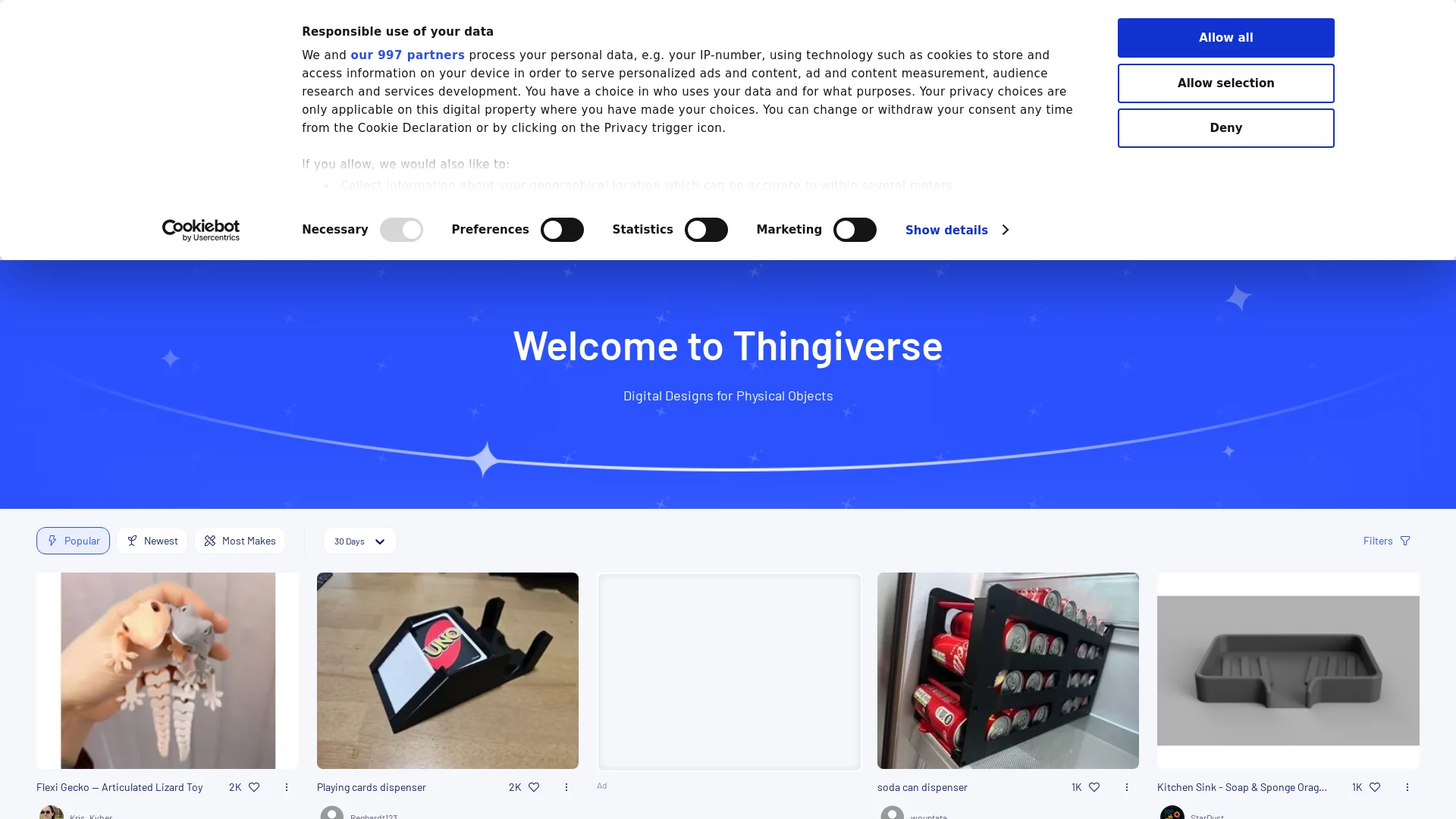
Screenshots

Thingiverse - T Site

Whether you are a beginner who has just got a 3D printer or an engineer looking for models for batch production, you have probably heard of T Site — Thingiverse. Many people treat it merely as a model download site, but it actually hides plenty of useful details; you need to use it according to your own needs to make it truly efficient.

Official Website: https://www.thingiverse.com/

First, Work Out What You Need

T Site offers over 6 million design resources, but different needs call for completely different ways of using it — one approach does not fit all.

  • For everyday DIY: if you just want a practical little object or a creative decoration, there is no need to fuss over complex formats — search a keyword to find a ready-made model, download it and print it straight away;
  • For professional manufacturing: if you need batch production, besides 3D printing models you can also find files for laser cutting and CNC machining, with support for mainstream formats such as stl, obj and 3mf to fit into your production workflow;
  • For classroom teaching: do not just search for ordinary models — its education section contains thousands of lesson plans covering every stage from kindergarten to higher education, turning abstract structural knowledge into tangible objects students can hold in their hands.

When browsing T Site, many people keep hoping to find an “all-purpose model”, yet after dozens of pages they still come up empty-handed. The real reason is that they have not first sorted out whether they want something to play with themselves, need models for batch production, or are preparing lessons for students.

Do Not Overlook the Exclusive Resources in the Education Section

Most people browsing T Site keep their eyes on the popular models on the homepage and rarely notice Thingiverse Education, the dedicated education section.

This section is not a casually thrown-together model library; it is built specifically for teachers and students, with supporting teaching resources ranging from kindergarten craft classes to university structural experiments. For example, if a primary school teacher wants to teach children about gear transmission, searching “gear model primary school craft” will surface ready-made designs with assembly steps — no need to draw drawings from scratch, and no fear that the model is too difficult for children to assemble.

Two Paths for Beginners to Find Models

When faced with more than 6 million designs, the most common mistake beginners make is searching with random keywords, which returns a messy jumble of results and wastes time. In fact, there are two clear paths; choosing the right one saves a lot of effort.

The Basic Path for Getting Started Quickly

If you are new to T Site, there is no need to rush into complex features — start with the basic workflow:

  1. Search with accurate keywords. For example, instead of saying “small object”, say “desktop phone stand for iPhone 14”;
  2. Once the results appear, click the sort button to bring “popular” or “most downloaded” items to the front; look at models with more feedback first, as they are less likely to go wrong;
  3. Use filters to narrow the scope, for example selecting only the “3D printing” format or items that “support free download”, to exclude paid designs;
  4. Finally, set preferences to your taste — for instance, if you like a minimalist style, set “style” to “minimalist”, and the system will gradually recommend models that suit you better.

This workflow is not difficult; follow it and you will find usable models without fear of pitfalls.

The Advanced Path for Digging up Niche Designs

Once you are familiar with the basics, try the advanced approach. For example, search “niche accessories camera” and then change the sorting to “newest uploads”, and you will find creative models that designers have just uploaded and that have not yet been pushed to the homepage.

If you are looking for files in a specific format, such as dxf for laser cutting, simply choose “file format” in the filters to screen out 3D-printing-only files like stl, saving you from discovering the wrong format only after downloading.

A small tip for beginners: start by practising with the top-ranked models to get familiar with the whole download-and-print process. Do not dive straight into niche designs — it is easy to get stuck.

A Few Common Questions about T Site

Before browsing T Site, many people have a few specific questions; sorting them out in advance helps you avoid detours.

Some ask: does T Site only have 3D printing models? No. Besides stl and 3mf files for 3D printing, there are also dxf for laser cutting and obj for CNC machining, covering several digital manufacturing needs.

Some worry: do all models on T Site cost money? Most are free. A few designers’ original works are marked “paid download”, but paid models generally come with detailed descriptions — they do not charge arbitrarily like some websites do.

Others ask: can I upload my own models? Of course. Once you register an account, you can upload your own designs and set whether others are allowed to download or modify them. It is like a small creative-sharing community, not just a plain resource platform.

When browsing T Site, there is no need to fixate on “finding the best model” — what suits your current needs is what is most useful.

Relevant Navigation

No comments

You must be logged in to leave a comment!
Login immediately
none
No comments...