

CNKI Translation AssistantAn online translation tool launched by China National Knowledge Infrastructure (CNKI)
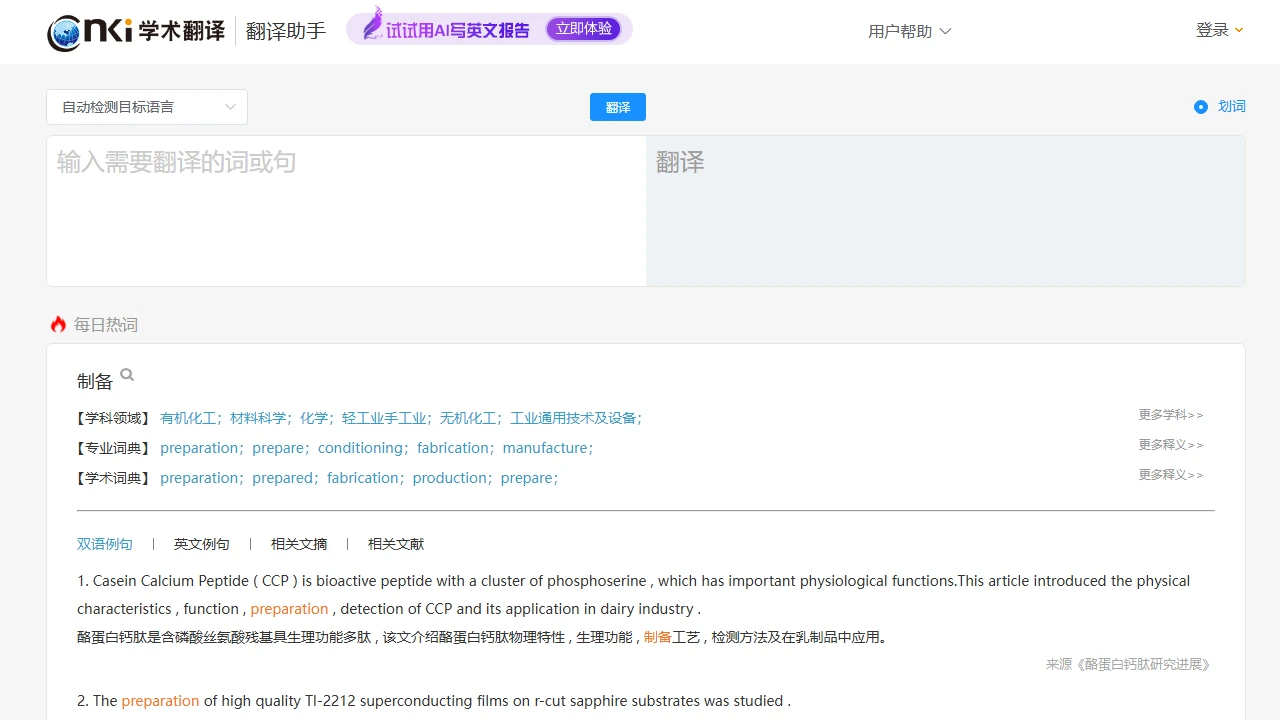
Screenshots

Figure out your own needs first
Don’t use general translation tools for academic translation tasks — this is a pitfall many researchers have fallen into. You can use general tools for translating ordinary materials, but when it comes to academic literature and specialised terms, you need a tool that adheres to standards. CNKI Translation Assistant is specifically designed for this need; it’s not a one-size-fits-all tool, but focuses on the accuracy of professional content.
Its core support is the massive literature database of China National Knowledge Infrastructure (CNKI), not random web corpora. Therefore, the term translations it provides generally match the common usage in the academic community, avoiding the embarrassment of general translation tools turning specialised terms into colloquial language.
Official Website: https://dict.cnki.net/
Key Reasons to Choose It
Why It’s More Reliable Than General Tools
The lexicon of general translation tools consists of common daily language. When encountering specialised terms like “genome sequencing” or “quantum entanglement”, they either translate incorrectly or vaguely. The lexicon of CNKI Translation Assistant is compiled from papers and journals included in CNKI, and each term has real academic usage scenarios, so you won’t use the wrong words in your papers.
Moreover, it not only supports English-Chinese and Chinese-English translation, but also handles translation between English and Japanese, English and Korean, English and German, etc. If you read foreign literature in less common languages, you can use it without switching to other tools.
Is It Easy to Use
You don’t need to remember complex hotkeys — you can trigger translation by typing, handwriting input, or voice input. Even when you’re entering content while reading foreign literature, you can get results quickly. There’s also a practical feature: it stores the specialised terms you’ve favourited and your previous translation history, so you don’t need to look them up again each time, saving a lot of effort.
Most importantly, it’s free of charge, with unlimited number of uses and unlimited content length. Whether you’re translating a single sentence or a whole section of literature, you don’t have to pay a penny. This is very practical for students and researchers who often need to look up literature.
How to Use It Most Conveniently
- The web version is suitable for looking up literature and writing papers at the computer. It has a large input box, clear translation results, and you can directly copy the content to documents.
- The mobile version is suitable for looking up materials when you’re out and about, or when you don’t bring your laptop to the library. It has similar functions to the web version, so you can use it anywhere.
No matter which version you use, you don’t need to learn extra operations — you can start using it right away. If you encounter uncertain terms, read the example sentences it provides, and you’ll basically understand what the word means in the academic context, so you won’t still be confused after translation.
Points to Note When Using It
Its lexicon is updated with new literature from CNKI. If you encounter newly released cutting-edge research terms, they may not be fully included yet. In such cases, don’t fully trust it — check the usage in the original literature. Also, it’s mainly designed for academic content. For scenarios like daily chatting or travel translation, it’s more convenient to use general tools — don’t force it to do the job.
In addition, if you need very niche specialised terms, such as specific vocabulary from some uncommon disciplines, its coverage may be limited. In such cases, check with other professional resources instead of relying solely on this tool.