AD Recommendation
Join Now
Important: Please do not trust the content and ads of various websites easily! Recommended reading: Safety Tips
PDF Converter
Scan to visit on your phone
4wks agoupdate 877 00
0

Screenshots

PDF Converter

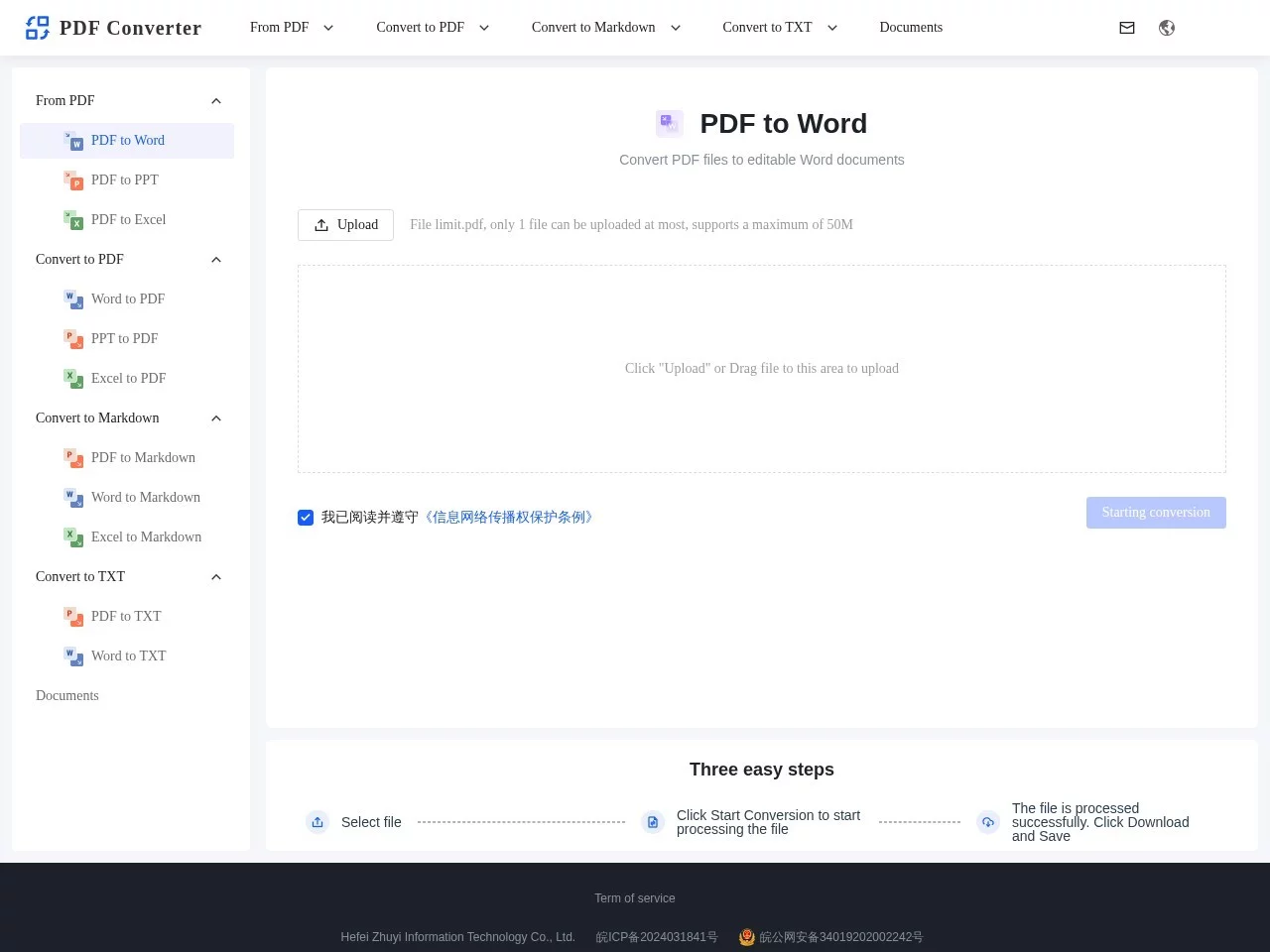
Don’t just pick any PDF conversion tool — most online tools either have scattered functions or are glitchy. This PDF converter is one of the few practical tools that covers all scenarios. It can handle common needs like extracting content from PDFs and converting other formats to standard PDFs, no software installation required — just open the webpage and use it.

Figure out your needs first

Many people always click the upload button first when using conversion tools, only to end up with an incorrect or non-compliant format, wasting time. In fact, before choosing a conversion tool, think clearly about what you need to do: extract text from a scanned PDF, convert a Word report to a standard PDF that can be printed directly, or convert notes to an editable Markdown format?

This PDF converter’s functions exactly match these common needs, with clear capabilities: when converting from PDF, it can output Word, PPT, Excel, and even convert PDFs to copyable TXT text; conversely, it can convert Word, PPT, and Excel to PDF, no need to adjust formats using Word’s built-in export function. For technical notes, it can also convert PDFs or Word to Markdown, making it easy to organise content with an editor later.

Different needs correspond to different conversion directions

Convert from PDF: Ideal for content extraction scenarios

Many people struggle when dealing with scanned PDFs, encrypted PDFs, or when needing to extract tables and text separately from PDFs. This PDF converter accurately recognises text and tables in such cases, eliminating the need for manual retyping. For example, if you have a scanned contract PDF and need to organise its clauses into a Word document, upload it, select convert to Word, and you’ll get editable text directly — no need to type every word.

If you need to convert PDF content to plain text, you can also select convert to TXT, which is suitable for content extraction or secondary organisation. Note that you can upload a maximum of 1 file, and each file must not exceed 50MB; if it does, split or compress it first.

Convert to PDF: Ideal for format standardisation scenarios

Sometimes, when you send a report written in Word to others, the format gets messed up — especially for content with special fonts or layouts. Converting to PDF avoids this problem. This PDF converter supports converting Word, PPT, and Excel to PDF, and the converted file retains the original layout, so it won’t be distorted when opened on any device.

When making a PPT presentation, you can convert it to PDF for easy printing, or convert Excel tables to PDF to share with colleagues — all directly using this function, no need for other tools.

Special needs: API for developer scenarios

If you’re a developer wanting to integrate PDF conversion functionality into your own app or website, this PDF converter also provides API documentation. No need to build your own conversion server — just call the interface to achieve format conversion, suitable for products that require conversion functions, such as content management tools and document collaboration platforms.

Official website: https://www.pdf2docx.cn/

Simple operation — no learning required

Many people worry that online tools are complex to operate, but this PDF converter has a straightforward process — even first-time users can handle it. The specific steps are just three: first select the file to convert, note that each file must not exceed 50MB, and you can only upload 1 file at a time; after selecting, click “Start Conversion” and wait for the website to process; finally, click Download to get the converted file — no registration or personal information required.

For example, if you need to convert a contract PDF to Word today, open the website, click Upload, select the file, wait a few seconds (depending on the file size), then click Download — the whole process won’t take long, and there are no annoying ad pop-ups.

If you’ve tried other conversion tools, you might have experienced missing characters in the converted content or needing a paid membership to use them. This one offers a more reliable experience — at least the basic conversion functions are free, meeting most people’s daily needs.

Relevant Navigation

No comments

You must be logged in to leave a comment!
Login immediately
none
No comments...