AD Recommendation
Join Now
Important: Please do not trust the content and ads of various websites easily! Recommended reading: Safety Tips
Online Image Tool
Scan to visit on your phone
3wks agoupdate 643 00
0

Online Image ToolOnline Image Tool

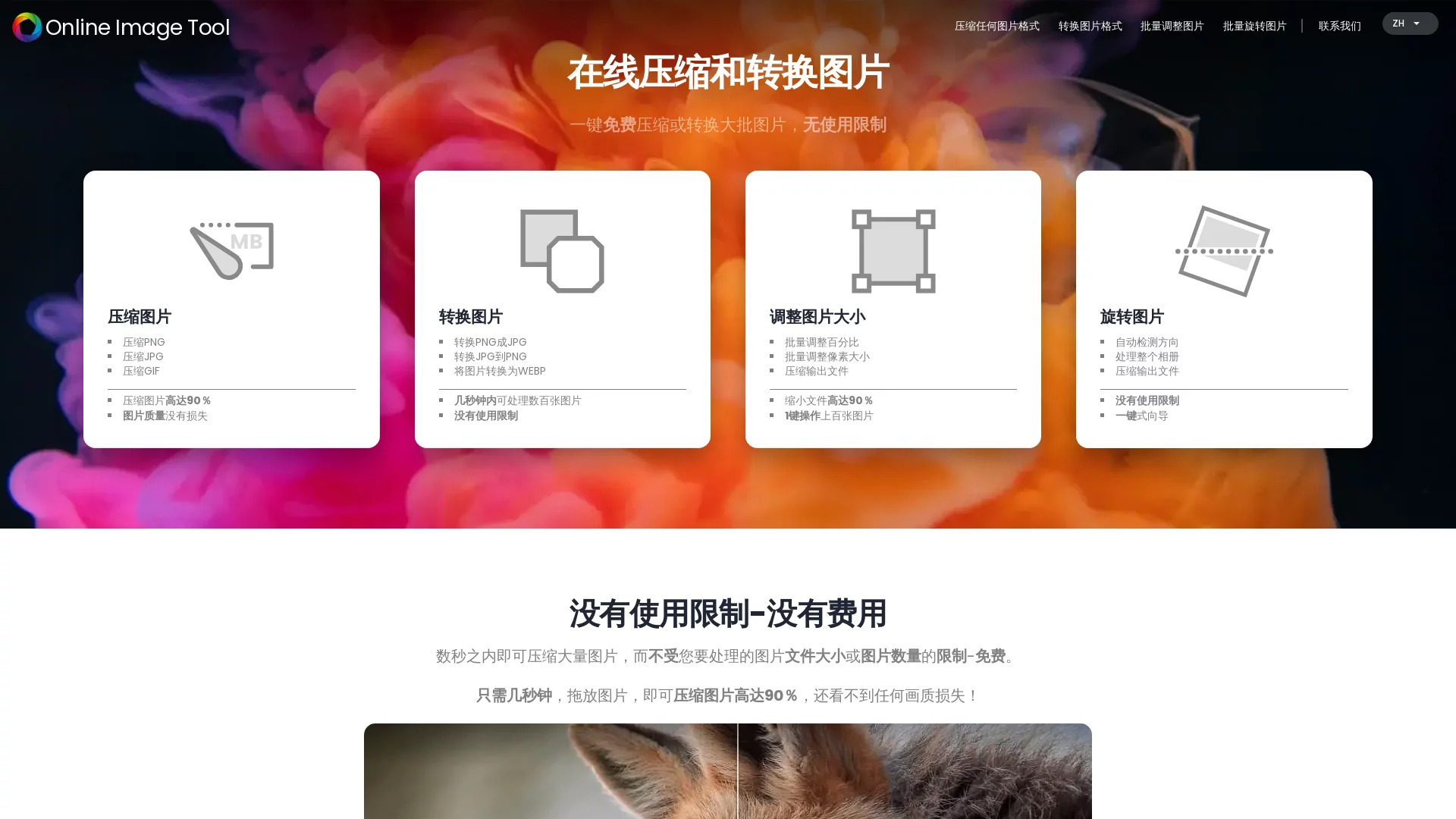
Free online image optimization - no usage limits, no file size limits. Batch process images with one click


Screenshots

Online Image Tool

Process images directly in your browser: What is Online Image Tool

In daily work and life, we often face such dilemmas: images are too large to upload, incompatible formats won’t open, and you can’t find a suitable tool to add a watermark to photos. Online Image Tool is a free online image processing tool designed to solve these common image needs. It integrates commonly used functions like compression, format conversion, batch adjustment, and graphic editing into a single web page—no need to download or install any client software; just open your browser to use it. Whether it’s creating content for social media, optimizing e-commerce product pages, or organizing daily photos, you can complete everything in one stop here.

Official website: https://www.onlineimagetool.com/zh/

Compared with traditional local photo editing software, the biggest feature of this tool is its “lightness”. It doesn’t take up computer storage space, and works on any device—all you need is a browser to run it smoothly. For users who only process images occasionally and don’t want to install bulky software, this kind of online solution is often the most practical choice.

Core Features: From Basic Operations to Advanced Editing

Online Image Tool has a very comprehensive range of functions. Below, we’ll break down its key capabilities one by one to help you quickly determine if it meets your needs.

  • Image Compression: Can compress images by over 90% while maintaining original quality, and supports lossless compression that doesn’t reduce clarity during the process.
  • Format Conversion: Supports processing and conversion of multiple mainstream formats like JPG, PNG, GIF, WEBP, easily solving format compatibility issues.
  • Batch Resizing: Process multiple images at once and adjust sizes uniformly, ideal for scenarios requiring handling large amounts of materials.
  • Image Rotation: Quickly corrects image orientation to meet usage requirements.
  • Advanced Editing: Allows adding watermarks, adjusting brightness, contrast, and saturation, covering basic daily photo editing needs.
  • Graphic Design: Supports adding text, shapes, and stickers to images, so you can complete lightweight design tasks directly.

Why Compression Capabilities Matter

Among all its functions, compression is the tool’s signature feature. Many online compression tools either have limited compression rates or cause significant quality loss after compression. Online Image Tool strikes a balance between the two: it can drastically reduce file size while preserving image details via lossless compression. This is especially useful for webmasters needing to speed up their sites, office workers limited by email attachment sizes, and content creators facing platform upload specifications.

Batch Processing Doubles Efficiency

Processing images one by one is tedious. With functions like batch resizing, users can submit a batch of images to the tool for unified processing at once, eliminating the hassle of repeated operations. The larger the volume of materials, the more obvious this efficiency advantage becomes.

Get Started in Three Steps: Almost Zero Learning Cost

The tool’s operation logic is very intuitive—even without any photo editing experience, you can smoothly complete a full processing workflow:

  1. Upload Images: Drag and drop images directly onto the page, or click the upload button to select files from your local device; common formats are all supported.
  2. Select Functions: Click the corresponding processing options based on your needs, such as compression, format conversion, batch resizing, or adding watermarks.
  3. Complete Processing: Wait for the processing to finish, then get the result file and save it to your local device for direct use.

The entire process has no complex parameter settings—just follow the on-page prompts. First-time users generally don’t need to consult tutorials and can complete the full workflow in a few minutes.

Privacy, Security, and Free Policy: Two Reasons to Use with Confidence

When uploading images online for processing, many people first worry about privacy issues. All operations of Online Image Tool are completed in the browser—no need to download or install any software. This design simplifies the usage process and objectively reduces the risk of file leakage, making it more friendly for protecting the privacy and security of files like screenshots containing sensitive content.

In terms of cost, this tool is completely free—both individual users and professionals can use it without worrying about issues like expired trial periods or limited processing counts. For individual creators and small teams with limited budgets, using a free tool to cover most image processing needs is a cost-effective choice.

Usage Recommendations: Prioritize It for These Scenarios

Based on the tool’s capabilities, the following types of tasks are recommended to be handled with it:

  • Website and Social Media Content Images: Compress before uploading to reduce file size and speed up page loading.
  • E-commerce Material Organization: Batch resize product images, unify their specifications before listing them for display.
  • Office Document Illustrations: Convert formats to solve compatibility issues, adjust brightness and contrast to improve visual quality.
  • Personal Photo Management: Rotate to correct orientation, add watermarks to mark ownership, and complete lightweight editing in one step.

If your needs involve professional-level color grading, layer compositing, or other heavy photo editing tasks, professional desktop software is still a more suitable choice; but as long as your tasks revolve around compression, format conversion, batch processing, and lightweight editing, Online Image Tool can deliver satisfying results. Why not open the official website to experience it now?

Relevant Navigation

No comments

You must be logged in to leave a comment!
Login immediately
none
No comments...