AD Recommendation
Join Now
Important: Please do not trust the content and ads of various websites easily! Recommended reading: Safety Tips
experte Online Background Remover
Scan to visit on your phone
4wks agoupdate 619 00
0

experte Online Background Removerexperte Online Background Remover

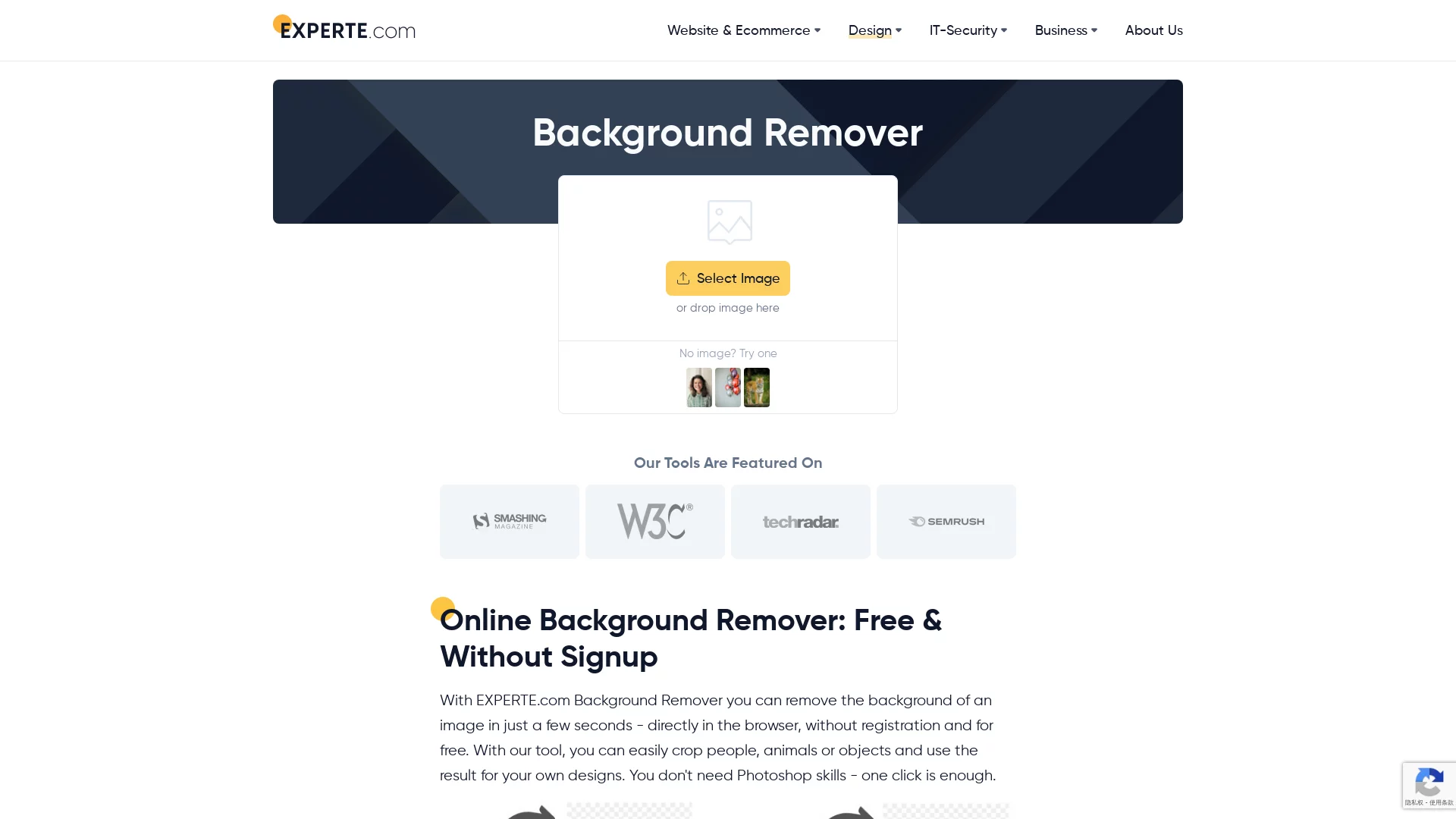
EXPERTE is a completely free online background removal tool that users can use directly through a browser, with no need for registration or software download and installa...


Screenshots

experte Online Background Remover

What is experte Online Background Remover? Analysis of the Free AI Background Removal Tool

When doing design work, running an online store, or handling ID photos, many people struggle with “background removal”. experte Online Background Remover solves this pain point perfectly — it is a free online AI background removal tool launched by the German Experte website. There is no need to download or install any software; just open the webpage, upload an image, and the system will automatically identify the subject in the picture and neatly remove the background. More importantly, the resolution of the output image is not compromised — the edited image will not be smaller or blurry, which is more reliable than many similar tools.

Official Website: https://www.experte.com/background-remover

Compared with common background removal tools on the market, its advantages are quite intuitive:

  • Zero Cost: The background removal service is completely free. After uploading, it is processed automatically, with no need for registration, payment, or membership thresholds.
  • Lossless Quality: The processing result maintains high-definition resolution, and the image quality will not be compressed due to background removal.
  • Excellent Detail Handling: It can handle difficult background removal tasks such as hair strands and fur edges quite cleanly.
  • Wide Subject Coverage: It can recognize various images including people, animals, still-life products, etc.
  • Zero Learning Curve: The entire operation process requires almost no learning, and results can be obtained in a few minutes.

Step-by-Step Guide: Complete a High-Definition Background Removal in Four Steps

Friends using experte Online Background Remover for the first time don’t need to worry about operation issues. The whole process can be broken down into four steps, and it usually takes less than a minute from opening the webpage to getting the finished image.

  1. Open the Official Website: Enter https://www.experte.com/background-remover in the browser address bar to enter the background removal page.
  2. Upload Image: Click the “Select Image” button on the page to choose the image to process from local files, or directly drag the image to the specified area — either method works.
  3. Wait for Automatic Background Removal: After uploading, the system will immediately start analyzing the image, automatically distinguishing the foreground subject from the background. The whole process usually only takes 5-10 seconds, with no need for manual annotation or brushing.
  4. Download HD Output: After confirming the background removal effect is satisfactory, click the “Download (HD)” button to save the high-definition version to your local device, with the image quality consistent with the original.

It can be seen that there are almost no links requiring user thinking in this process. In the past, when using Photoshop for precise background removal, even the Pen Tool and Channel Mask would take newbies half a day to handle. Here, image output immediately after upload is the default experience.

How is the Actual Effect? Background Removal Quality and Detail Performance

Many people’s first reaction to free tools is “Can free things be good?”, but experte’s performance in background removal quality is enough to dispel this concern. It relies on AI algorithms to identify the subject of the image. For objects with clear outlines, the edge cutting is neat; for complex structures such as strands of hair and furry pets, it can retain fine hair layers without an awkward “cut-and-paste feel”.

Another easily overlooked detail is the resolution issue. Many online background removal tools will secretly reduce the image size when returning results, and you won’t find it blurry until you use it for posters or printing scenarios. However, Experte clearly guarantees that the output image will not be smaller. The high-definition image downloaded after background removal can be directly used for subsequent design typesetting, which is also the confidence behind its “Download (HD)” label on the button.

Usage Suggestions

  • Try to select an original image with clear contrast between the subject and background for higher recognition accuracy.
  • Confirm that the image itself is clear enough before uploading; AI cannot restore blurry details out of thin air.
  • After processing, zoom in to preview the edge area first, and confirm that details such as hair meet expectations before downloading.

Which Scenarios Are Most Suitable for experte Online Background Remover?

This tool has a very clear positioning: for ordinary users who need fast and high-quality background removal. It does not pursue professional-level layer editing capabilities like Photoshop, but focuses on perfecting “background removal” itself. The following scenarios are especially worth using it:

  • E-commerce and WeChat Business: It is highly efficient for changing product images to white backgrounds, making main images, and batch processing product photos.
  • Self-Media and Copywriting Illustrations: It is used to separate people or items for synthesis in official accounts, Xiaohongshu covers, etc.
  • Office Work and PPT Creation: Inserted people and product images in presentations can remove messy backgrounds, making the page instantly neat.
  • Personal Daily Use: It is easy for ordinary users to change ID photo backgrounds, create fun composites for pet photos, etc.

In other words, as long as you don’t want to learn design software specifically for removing the background of one image, Experte can help you save a lot of time.

Frequently Asked Questions

Q: Is it really completely free?
A: Yes, both background removal and HD downloads are free, and there is no need to subscribe to any paid packages.

Q: Are there any quantity limits?
A: To prevent abuse, the system limits processing 10 images per minute, which is more than enough for normal personal use; for large batches, just wait a short interval.

Q: Do I need to install software or register an account?
A: No, it is a pure web-based tool, and you can use it directly by opening the official website in your browser.

Q: Can it handle complex backgrounds well?
A: Yes. Its strength is exactly handling images with complex backgrounds and many details, such as cases where a person’s hair is intertwined with the background.

If you are troubled by the problem of “how to remove the background from an image”, you might as well directly open https://www.experte.com/background-remover to upload an image and try it. In a few seconds, you will probably add it to your browser bookmarks.

Relevant Navigation

No comments

You must be logged in to leave a comment!
Login immediately
none
No comments...