AD Recommendation
Join Now
Important: Please do not trust the content and ads of various websites easily! Recommended reading: Safety Tips
PS3000
Scan to visit on your phone
4wks agoupdate 749 00
0

PS3000PS3000

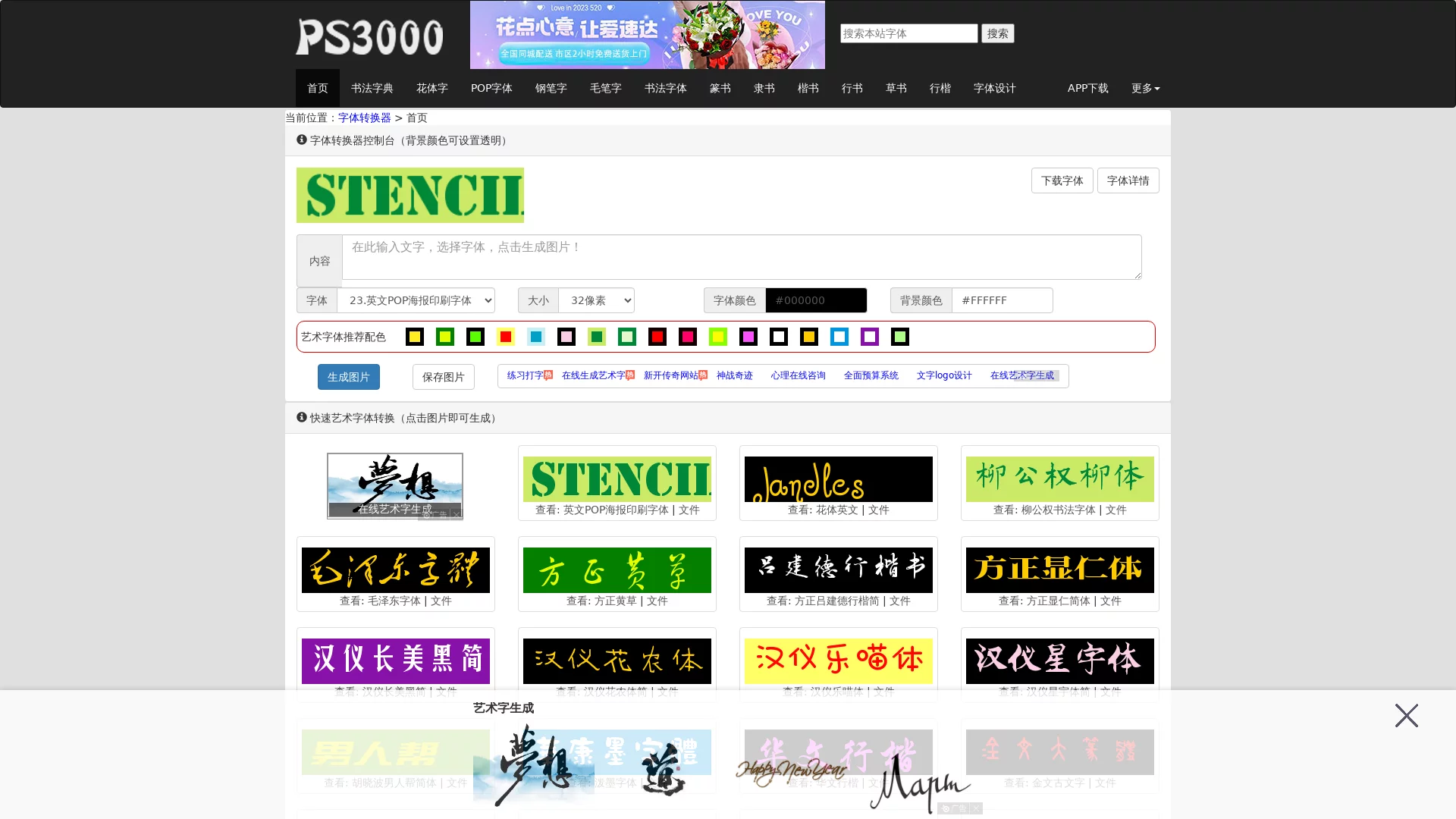
Font converter, generate art fonts online, convert calligraphy fonts online


Screenshots

PS3000

When looking for an online font tool, PS3000 saves far more hassle than hunting for scattered font packs.

An online tool that needs no installation — even more convenient than local fonts

Many designers have run into this situation: to add a calligraphy font, you have to download a font pack from a website, which takes up your computer’s memory, and after installation it often displays garbled characters in Photoshop or PowerPoint; the font style you finally found becomes unusable on another device. PS3000 has none of these hassles — just open your browser and use it, with no files to download. It is like carrying an entire calligraphy studio in your pocket: beginners don’t need to memorise complicated steps, and veterans can skip the installation and setup time.

The generated fonts come in image format, so others cannot simply copy them, and you don’t have to worry about your designs clashing with anyone else’s. Whether you are making poster titles, journal stickers or a small logo, you can keep your visuals distinctive instead of looking like every generic font design.

Official Website: http://www.ps3000.com/

First, work out what you actually need

The biggest mistake when choosing a font tool is trying to get everything; in fact, you only need to pick one based on your use case. For example, for classical Chinese-style cultural copy, you will definitely want traditional-style fonts like brush script and seal script; for streetwear posters, you need design-led POP fonts and outline letters; for everyday journaling, cute cartoon fonts and rounded fonts are enough; and for bilingual promotions, you also need good-looking English fonts.

Many online font tools either only offer basic fonts or have an incomplete range of artistic styles, forcing you to juggle several websites at once. PS3000’s font library is clearly categorised, with all commonly used fonts neatly organised. No need to switch pages back and forth — just open it and pick a suitable style, without wasting time hunting for scattered font resources.

  • Chinese calligraphy: brush script, cursive script, running script, seal script and regular script, suitable for classical-style posters and cultural copy;
  • Art and design: POP fonts, poster fonts, outline letters and logo fonts, ideal for commercial promotion and creative trends;
  • Stylised general-purpose: cartoon fonts, cute fonts, Song typeface and Hei typeface (sans serif), covering everyday crafts and basic typesetting;
  • English fonts: English lettering art, calligraphic English and cartoon English, for bilingual designs and overseas promotions.

Practical value for different users

For design beginners, the biggest fear is complicated professional software — spending ages on Photoshop or Illustrator without getting anywhere. PS3000 is much simpler: just type your text and choose a style, and in a few minutes you get a ready-to-use font image. No shortcuts to memorise, no formats to fiddle with — perfect for newcomers to practise with.

For experienced designers who sometimes need to produce creative drafts quickly or find a special font as material, PS3000 saves a lot of time compared with spending hours making basic fonts yourself. It is completely free and requires no complicated account registration. If a design need comes up on the spot — say you suddenly have to make an event poster — just open the website and start using it, without searching everywhere for paid fonts.

Whether you are writing copy for a festival poster, designing an exclusive logo for a niche brand, or looking for special fonts for your journal, PS3000 can handle it all — no need to struggle with other tools.

Relevant Navigation

No comments

You must be logged in to leave a comment!
Login immediately
none
No comments...