AD Recommendation
Join Now
Important: Please do not trust the content and ads of various websites easily! Recommended reading: Safety Tips
Motion Array
Scan to visit on your phone
4wks agoupdate 832 00
0

Motion ArrayMotion Array

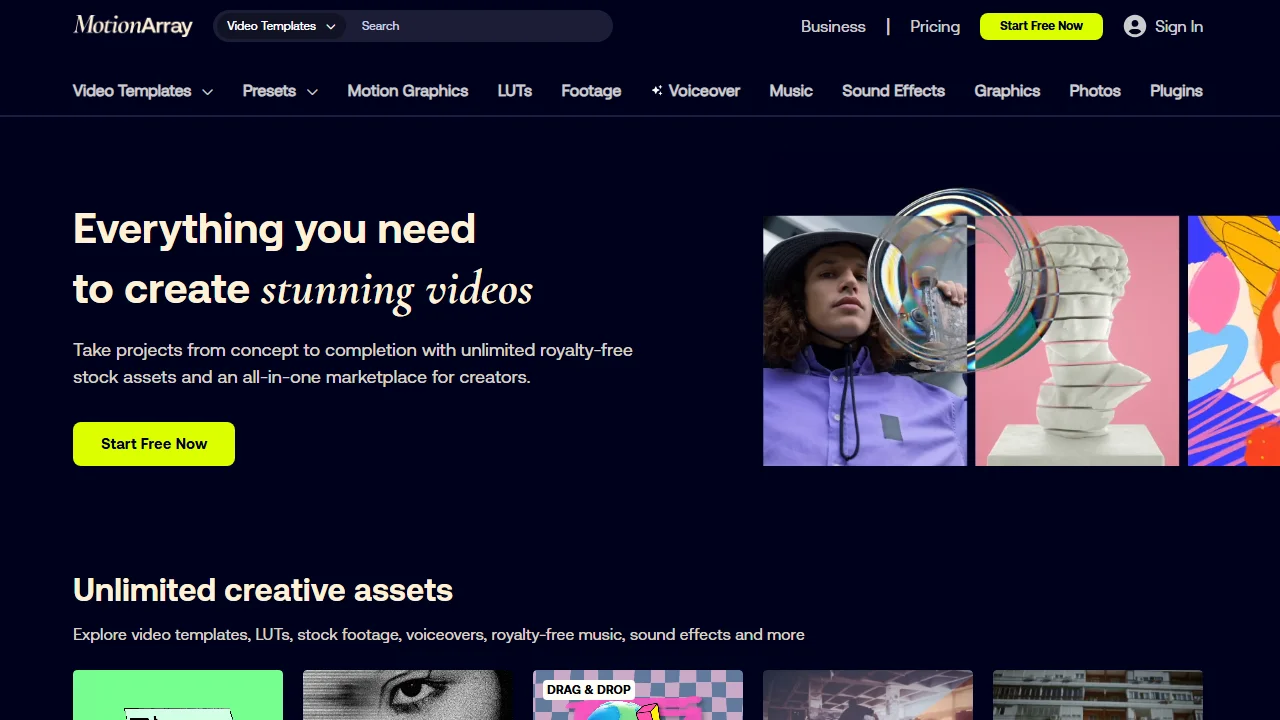
Motion Array is a platform focused on providing one-stop resources for video creators, covering video templates, motion graphics, music, sound effects, stock photos, plug...


Screenshots

Motion Array

Many video creators have fallen into the trap of copyrighted material — you finally finish editing, only to receive an infringement notice out of nowhere, and you either have to delete the video and start over or pay hefty compensation, with all your effort wasted. In fact, choosing the right compliant creative platform can help you avoid these headaches altogether. MotionArray is a tool I have used for years — from editing my own social media videos to helping small teams produce commercial films, I have never crossed any copyright red lines, and my efficiency has improved a lot.

Before choosing a platform, check whether it solves your core pain points

Official website: https://motionarray.com/

When I first got into video creation, I kept jumping between several platforms: one site for music, another for motion graphics, and yet another for templates — just switching between materials could eat up half a day. I later realised that a good platform needs to bring together resources for the entire workflow and be compatible with the editing software you use; otherwise, even the most comprehensive library is useless.

Motion Array was founded in 2014 by Tyler Williams and Eri Levin, and was acquired by Artlist in 2020. Through years of iteration, it has become a global creative resource hub. All of its assets go through strict copyright review, so whether you are editing a personal vlog or producing a commercial for a brand, you do not need to apply for extra licences — a real time-saver. What’s more, its resources are fully compatible with mainstream editing tools such as Adobe Premiere, After Effects and DaVinci Resolve. When I edited a documentary with DaVinci, I could simply drag assets from the platform and use them straight away without converting formats — the workflow was remarkably smooth.

First, get clear about your needs

Everyone looks for assets for different purposes — some need to edit short videos for Douyin, some need to produce corporate promotional films, and some are school teachers making teaching materials. Sort out your own needs first, then look for the corresponding resources.

  • Ready-to-use video templates: covering high-frequency scenarios such as intros, logo reveals, social media posts and short-video storyboards; you can change text and swap images with simple drag and drop, so even beginners can get started quickly;
  • Music and sound effects in diverse styles: including royalty-free background music and exclusive sound effects, ranging from pop and classical to suspenseful and soothing, suited to the different tones of documentaries, commercials and short videos;
  • Motion graphics assets: available in cartoon, surrealist, infographic and many other styles, letting you quickly create complex visual effects for data visualisation, concept explanations and similar content;
  • HD stock photos: ready-to-use high-definition images that solve the problem of insufficient footage and are perfect for adding visual elements to your videos;
  • Dedicated editing plugins: developed for Adobe Premiere, with extended features such as colour grading, transitions and subtitles, helping you achieve more professional production results.

When working on my own content, I often use its short-video templates — a quick edit of the text and logo and they are ready to go, saving me half the time compared with building from scratch. For commercial projects, I go for the motion graphics and plugins, paired with HD assets; this raises the professionalism of the content and keeps clients satisfied.

Choose a subscription plan that fits your creative rhythm

I previously tried pay-per-asset platforms, and the costs piled up quickly with heavy use — plus, whenever I found an asset I liked, I had to agonise over whether to buy it. Motion Array’s subscription offers unlimited downloads: whichever plan you choose, you can use the assets freely without paying extra based on quantity, which is great for creators like me who constantly need fresh material.

Individual creators can choose a monthly or annual basic plan, ideal for independent creators and light-weight social media work; small teams can use the team plan, which supports multiple accounts for collaboration, so there is no need to pass assets back and forth; educators and news media also have dedicated plans with clearly defined commercial usage rights, keeping teaching materials and news reports fully compliant.

Assets from all subscription plans can be used in both personal and commercial projects without applying for extra authorisation. I once used their music in a brand commercial — no problems at all, and no worry about different sets of rules. Also, the drag-and-drop templates simplify the video production process: you do not have to spend much time on basic adjustments and can focus your energy on the content itself.

End-to-end support for creators at every level

From professional film and TV teams to everyday content creators, Motion Array can meet their needs. Professional teams requiring 4K and 8K HD assets will find a dedicated resource section; combined with motion graphics and plugins, it can satisfy the high-quality demands of commercial adverts and documentaries. A friend of mine who makes documentaries used its 8K assets and motion graphics to present the data sections very clearly, and the client was highly impressed.

Beginner creators need not worry either: the platform’s asset categories are very clear, and the search and filter functions are simple — just type in keywords to find suitable resources. There is also a dedicated creator community and tutorials, where you can learn how to use assets and keep up with the latest creative trends, gradually producing higher-quality content.

Relevant Navigation

No comments

You must be logged in to leave a comment!
Login immediately
none
No comments...