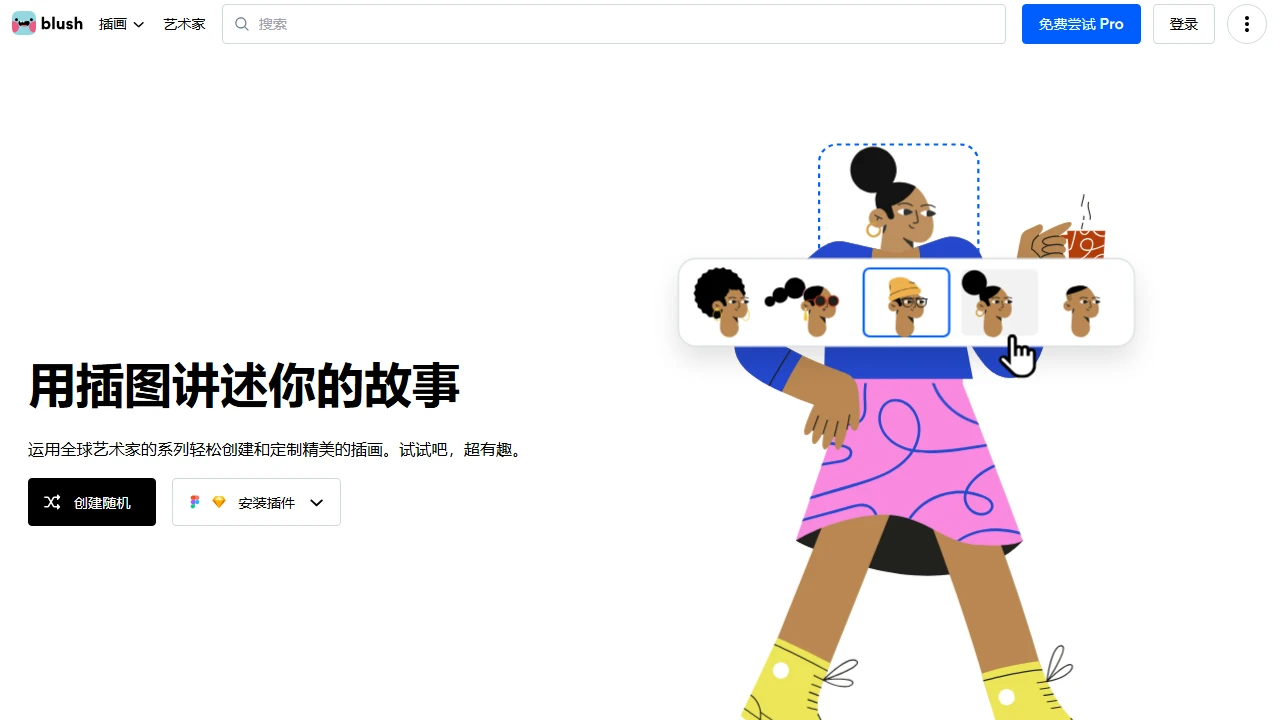
BlushBlush makes it easy to add free illustrations to your designs. Enjoy customisable graphics created by artists from around the world.
Screenshots

When designing web pages, creating PowerPoint presentations or making social media content, do you always get stuck at the illustration-finding step? You scroll through endless asset libraries only to find the style doesn’t fit or the details look like everyone else’s; and after finally picking a suitable one, you still have to agonise over whether the licence allows commercial use. In fact, many people don’t know there is a platform that can cut the time spent finding and editing images by more than half — Blush.Design.
Stop searching blindly for illustrations — get to grips with Blush’s practical features first
Official website: https://blush.design/zh-CN
Ditch the fixed assets — here you can edit until you’re satisfied
Blush’s core isn’t about giving you a pile of ready-made images, but letting you turn basic assets into your own exclusive versions — far more thoughtful than ordinary asset websites. Its library offers 12 styles, from business minimalism to playful doodles, covering common categories such as people, cities and desserts. Whatever kind of content you’re creating, you can find a suitable base.
- All 12 styles covered, no need to hunt for assets across platforms: whether you’re making a website banner, UI icons, PowerPoint visuals or WeChat Moments posts, you can find matching assets here without opening three or four websites at once to browse images.
- Edit details like playing a dress-up game, avoiding the awkwardness of duplicated assets: you can adjust details such as hairstyles, clothing styles, skin tones and accessories, so the finished image is entirely one of a kind — you won’t end up using the same assets as everyone else.
- Free users still get PNG, while the Pro plan unlocks vector formats: for everyday needs, free users can simply download PNG images; for professional design, upgrading to a Pro membership gives you SVG files, which can be used directly in Figma and Sketch without switching software.
- All images can be used commercially without restrictions, no attribution needed: whether for personal use or business use, all illustrations can be used directly — no fear of infringement, and no need to credit the source in a corner of the image, which saves a lot of hassle.
The operation isn’t complicated either — no need to know how to draw illustrations. Just pick a style, click in to tweak the details, and download once you’re done. It’s very beginner-friendly, with no need to spend time learning complicated editing tools.
How to use Blush properly — avoid these little pitfalls
Use the right official entrance — don’t click the wrong third-party links
To use all the features, going straight to the official site is the safest option. The address is https://blush.design/zh-CN. Don’t search for ad-laden third-party links — you may easily end up downloading watermarked images.
Once on the official site, filter by style or category first. After finding a base asset, click the editing area to tweak the details — the process is very clear. If you need SVG formats or advanced editing features, then look at the Pro membership benefits; for most everyday scenarios, the free features are enough.
A few handy tips beginners often overlook
Many people miss several time-saving features the first time they use Blush. Personally tested and genuinely useful:
- Add scenario keywords when searching for images, such as “business” or “education” — you can find suitable assets twice as fast as browsing blindly;
- Use the platform’s colour adjustment tools when editing images to quickly match an illustration’s colours to your project’s overall palette;
- Before using the Figma or Sketch plugins, make sure the software is installed and logged in, otherwise you won’t be able to access the platform’s illustration resources.
For those who regularly create creative content, Blush’s free resources and customisation features can indeed save a great deal of time on finding and editing images — no more headaches over being unable to find the right illustration.