PNGitemA free PNG image sharing resource community
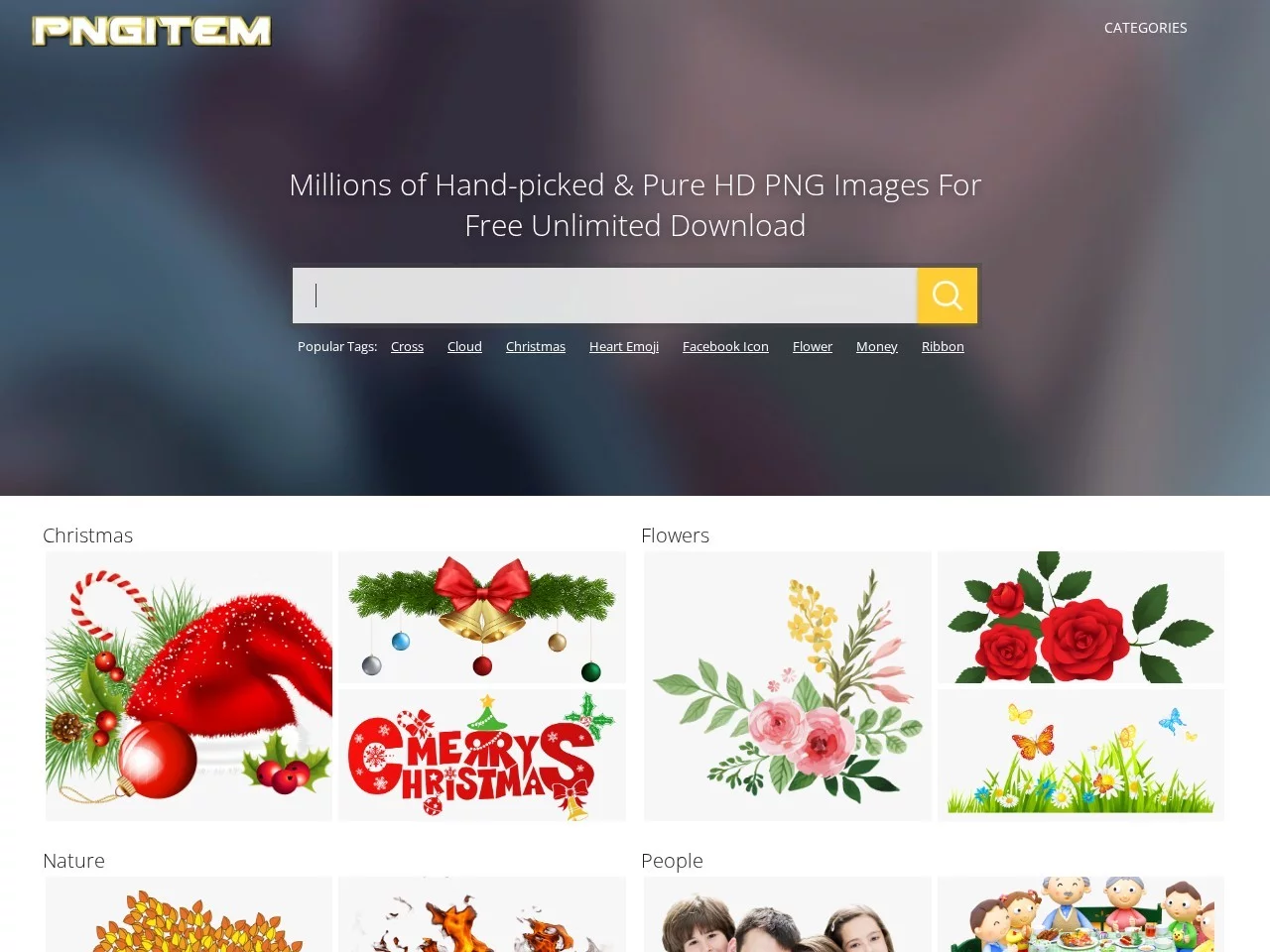
Screenshots

Struggling to find the right assets? PNGitem, a free PNG community, is worth a try
When making posters, illustrations, or laying out WeChat official account posts, many people run into the same problem: after much effort they finally find a suitable image, only to discover it comes with an eyesore of a background colour, and cutting it out is time-consuming and laborious. PNGitem is a free PNG image sharing community built precisely to solve this problem. All images on the site are hand-picked and come with transparent backgrounds, so after downloading they can be dropped straight into all kinds of design drafts — a real time-saver for designers and content creators.
Official website: https://www.pngitem.com/
First, a quick look at the basics of this platform:
- Total assets: over 2.05 million HD PNG assets have been collected;
- Curation standard: all assets are uploaded by outstanding designers and hand-picked, so quality is assured;
- Download rules: free with no limit on downloads — take what you need;
- Breadth of categories: covering more than 10,000 types, spanning almost every common image need in day-to-day design work.
2.05 million HD PNG assets — what does the site have
PNGitem’s asset library is divided into fairly detailed categories, with common types such as icons, logos, clip art, silhouettes, watercolour paintings, and outlines all available. Whether you need a decorative element for a PPT, a logo reference for a brand proposal, or a watercolour-style illustration for a layout, you can quickly filter out candidate images under the relevant category.
- Icons: suitable for websites, app interfaces and functional illustrations;
- Logos and marks: usable as design references or proposal assets;
- Clip art and silhouettes: often used to build poster layers and add visual accents;
- Watercolour paintings and outlines: ideal for artistic, fresh-style layouts and packaging design.
More importantly, there is the copyright side. All assets on the platform are copyright-free PNG images that can be used directly in website design, poster production, advertising creative and many other industry scenarios, saving the communication cost of repeatedly confirming licences. Of course, if the assets are used in formal commercial projects, it is still advisable to keep records for future reference in line with industry practice, just to be on the safe side.
Why the assets designers favour are mostly in PNG format
A quick browse around PNGitem will show that all assets on the site use the PNG format — and this is no accident. PNG (Portable Network Graphics) is a losslessly compressed bitmap graphics format widely used for web transmission and storage, and several of its features happen to hit the core needs of design assets:
- Lossless compression: using the LZ77 algorithm, image quality is not lost during compression and decompression, so details are fully preserved;
- Transparent background: supports transparency, so images can be layered onto any background colour without revealing a “white edge”;
- Multiple colour types: compatible with greyscale, indexed colour, true colour and other image types, adapting to different uses;
- Progressive display: supports loading images progressively, so when browsing the web you can first see the image outline — a friendlier experience.
PNG or JPG: how to choose
In short, for scenarios that require transparent backgrounds or lossless quality, PNG is the better choice — for example icons, decorative elements, and assets that need to be layered and composited; while for large photo-type images where file size matters more, lossy formats such as JPG are more suitable. PNGitem focuses on the PNG format, essentially perfecting the “download and use, no background removal needed” experience — one of the reasons it has held its ground among so many asset sites.
Usage tips: details to watch out for
Note that PNGitem contains quite a lot of ads, and first-time users can easily get lost among the dizzying array of buttons. When downloading, look carefully to identify the real download button and avoid clicking on ads that redirect you to irrelevant pages. Developing the habit of “look before you click” will make the experience much smoother.
Three practical tips
- After entering the detail page, preview the large image first and confirm the transparency and resolution meet your needs before clicking download;
- Make good use of the site’s categories and keyword search to narrow things down among the 10,000+ types and improve your image-hunting efficiency;
- Build your own bookmarking habits for commonly used asset categories so you can quickly pull them up for later projects.
In a nutshell: PNGitem suits users who “use images frequently and value efficiency” — the free, unlimited download policy combined with HD transparent assets genuinely cuts the cost of producing artwork.
Who should bookmark PNGitem
- Graphic and web designers: they need plenty of transparent-background elements for compositing and layout every day;
- New media and content operators: with frequent cover and illustration needs, free assets help keep costs under control;
- E-commerce professionals: product detail pages and promotional posters call for all kinds of decorative icons and silhouette elements;
- Students and office workers: images for PPTs, coursework and report documents — download and use without any fuss.
2.05 million hand-picked HD PNGs, more than 10,000 category types, free and unlimited downloads, plus the inherent transparency and lossless advantages of the PNG format — all these factors combined make PNGitem a site worth opening first when looking for transparent assets. Next time you are stuck with an image that has a white background, why not search here first.