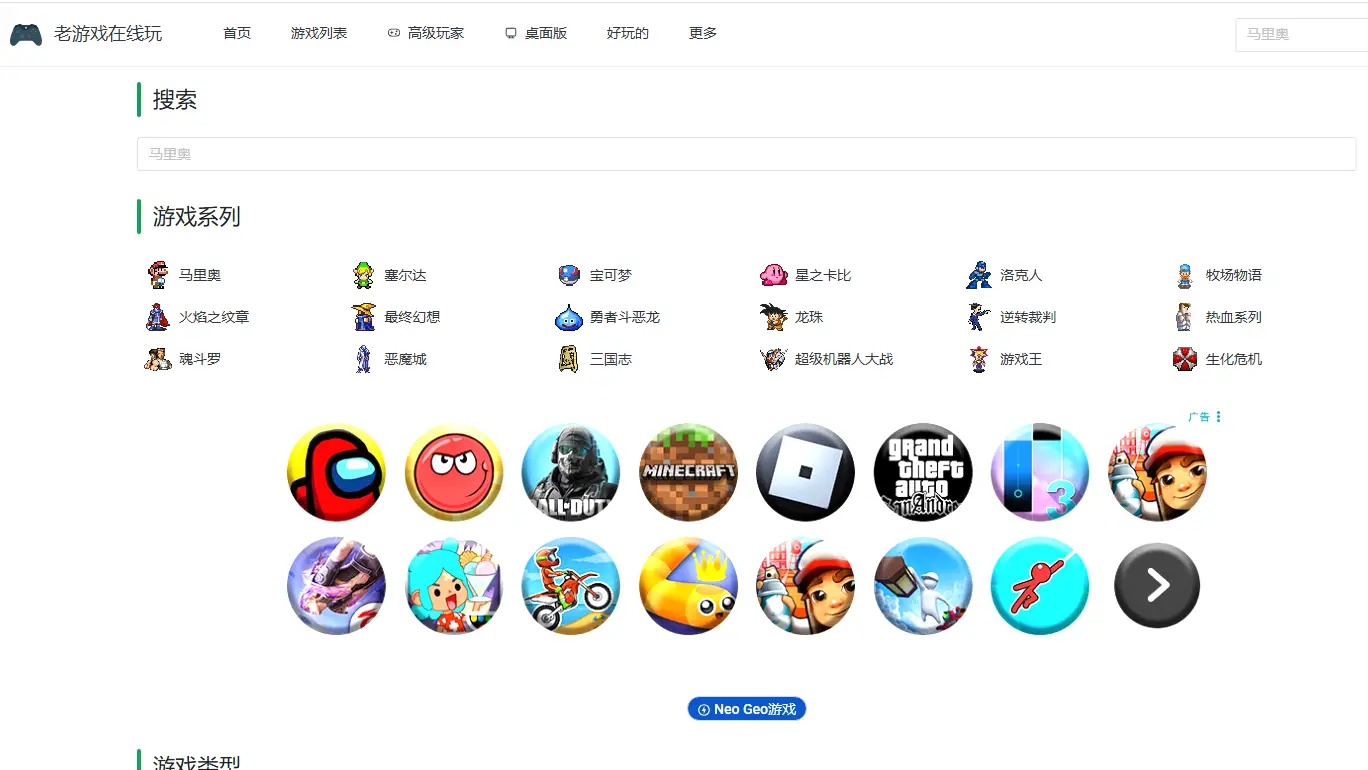

Play OnlinePlay over 2,500 classic Chinese games on your computer and mobile browser, with support for touchscreen, keyboard, and save features! Includes multiple console platforms ...
Screenshots

Games that can be played without downloading are the best solution for slacking off after work or killing time during short gaps, as no one wants to wait 20 minutes for installation or deal with pop-up ads.
Why choose to play online instead of installing apps or looking for cartridges?
Official website: https://www.9game.cn/
Many people’s first reaction when wanting to kill time is to look for mobile games or PC games, but mobile games take up memory and require dealing with pop-up ads, while PC games involve long download and installation times, making them completely unsuitable for short entertainment sessions under 20 minutes. The core advantage of playing online is that it eliminates all these hassles—you can open it directly in your browser without taking up any extra space on your device.
I tried it last week; I didn’t even have to wait half a minute for the page to load, and the homepage directly listed various old games available to play, without having to search for entry points for a long time. This is much more convenient than those retro games hidden inside apps.
How much faster is it from entering the page to starting to play?
No need to wait for installation, no need to fill in registration information, and you don’t even need to remember your account and password. Just select the game and click, and you can start playing as soon as the loading bar finishes—the whole process takes less than 10 seconds, shorter than the time you take to order food on a food delivery app.
Last time I played a NES platform game, I was interrupted by a takeaway call halfway. I clicked to exit casually, and when I came back, it was still at the exact spot where I got stuck. I didn’t have to go through the first 10 minutes of the process again, which is more flexible than both cartridge consoles and emulators—you can pick up where you left off without saving.
When looking for old games, should you choose cartridges or play online?
When I was a kid, I saved pocket money to buy cartridges, and even after saving half a box, I still didn’t get to play all the Super Nintendo games. Later, when I wanted to relive them, I had to install plugins for emulators and find game ROMs, which took a lot of effort and I still didn’t get to play. The benefit of playing online is that almost all the old games you can remember are here—no need to look for cartridges, borrow game consoles, or mess around with emulators.
I checked the list: Super Mario and Contra for NES, racing games for Sega MD, fighting games for arcades, and Pokémon for GBA—all the memories of borrowing my cousin’s console and saving pocket money for cartridges when I was a kid. Now I can just click and play, no need to borrow cartridges from anyone anymore.
No need to install any extra plugins; it runs with the browser’s built-in functions. Even on a company’s public computer, as long as you can open a webpage, you can play a few games. No need to worry about the system blocking software installation or taking up computer memory—this is much more convenient than messing around with emulators.
Is playing online more suitable than other methods in different scenarios?
During company lunch breaks, you can play using the keyboard provided by the company—no need to bring your own controller, and you don’t have to install anything. Slacking off to play a few games won’t leave any installation traces, which is much safer than bringing a handheld console or installing mobile games.
At home, if your TV is connected to a controller, you can open this platform in your browser to project the game onto a large screen—more comfortable than playing on a small screen when you were a kid, and no need to crowd around the TV to fight for the remote control with family.
You can also play on your phone: pull out your phone during your commute, open the webpage and play. It doesn’t take up phone storage space, saving space compared to installing apps, and you don’t have to deal with app push notifications.
Who is more suitable for playing online?
- Fans of retro games who want to relive childhood classics but find cartridges troublesome
- Users who want to kill time with lightweight games and don’t want to install apps
- Players interested in game history who want to play old games to see their design styles
- Ordinary people who don’t want to mess around with emulators or plugins, just want to click and play
No need to download, register, or install extra software—just click and play. Whether you’re slacking off on the sofa for 20 minutes after work or taking a break during company lunch, it’s a pretty good choice.
Related Sites


复古游戏站

童年回忆游戏站