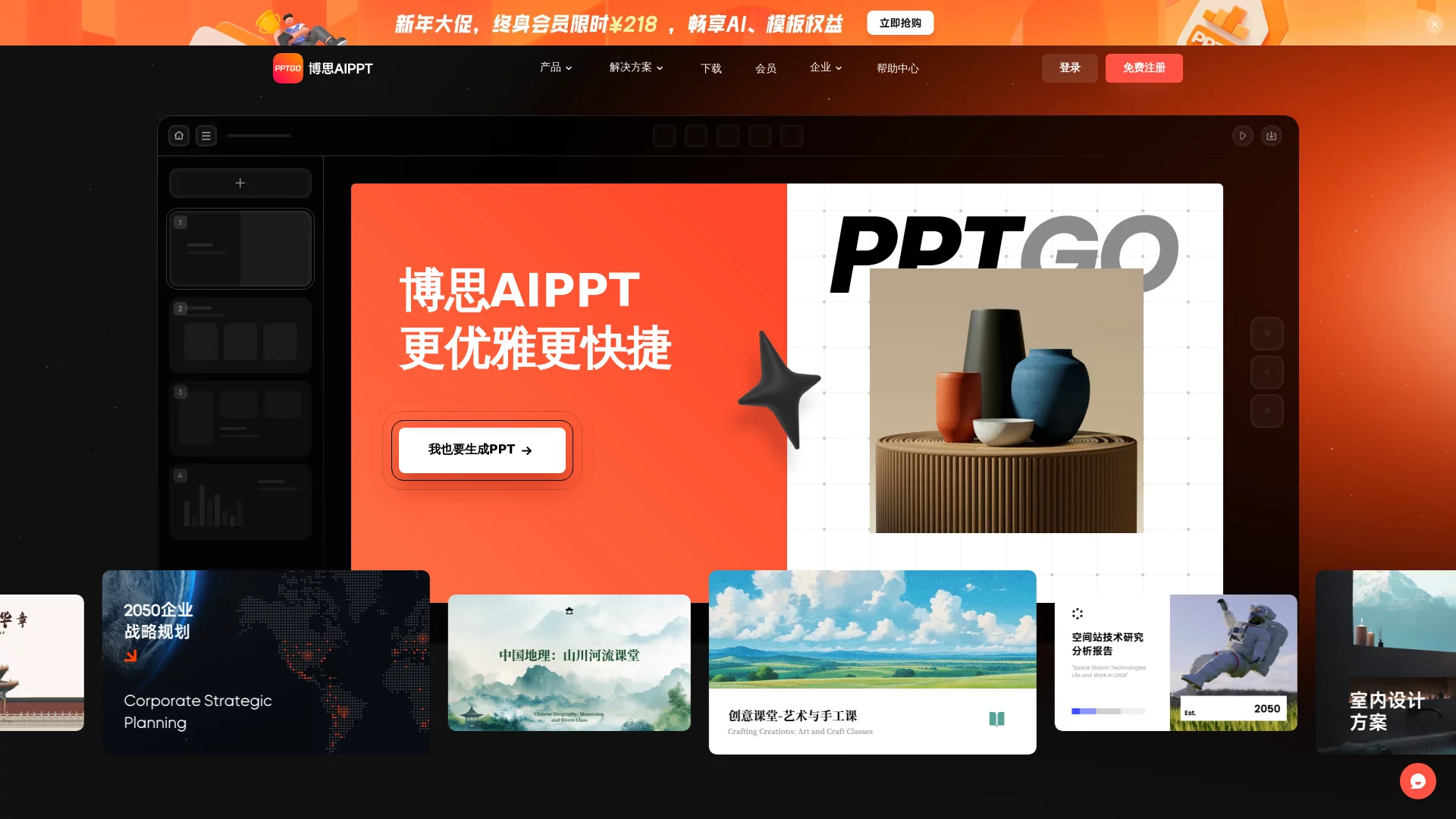
Bosi AI PPTOnline AI-powered PPT Generation Software
Screenshots

Farewell to Manual Formatting, Bosi AI PPT Ushers in a New Way of Efficient PPT Creation
Every time it’s report season, project review time, or when creating teaching courseware, many people fall into the dilemma of “the content is already polished, but formatting takes up most of the time” — manually aligning text, adjusting colour schemes, adapting to projection effects, these mechanical and repetitive tasks not only slow down progress but also easily drain creative enthusiasm. As a new generation of online AI-powered PPT generation software, Bosi AI PPT features an efficient model of “you provide the idea, it delivers the final product”, helping users escape inefficient formatting traps and focus on the content itself.
Official website: https://pptgo.cn/
Unlike the single adaptation of traditional tools, the final product of Bosi AI PPT supports one-click adaptive layout switching. Whether it’s high-definition projection on a large conference room screen or sharing on mobile/small screens for online meetings, it automatically matches the best presentation effect, perfectly covering all scenario needs such as office, education, and marketing.
Multiple Generation Entrances Adapt to Different Habits, Making the Starting Point of Creation More Flexible
Bosi AI PPT does not limit the usage to a single entrance, but fully caters to the creation preparation habits of different users, providing four convenient generation paths, allowing users to start with whatever materials they have on hand:
- Theme Generation: Just input a core theme, and the AI will automatically complete the logical outline and expand it into a complete PPT, suitable for the initial stage of creation when ideas are still in mind;
- Text Generation: Directly paste the written text content, the AI is responsible for splitting chapters, refining core points and completing automatic formatting, no need to manually adjust the structure;
- File Import Generation: Supports multiple common formats such as Word, PDF, TXT, Markdown. The system intelligently extracts key information from the file and automatically generates a professional and standardized presentation, completely saying goodbye to tedious format conversion and formatting;
- Outline Parsing Generation: The AI first generates a structured content outline, users can edit and modify the chapter logic, add or delete points one by one, and after confirmation, generate a complete PPT with one click, improving content controllability.
Outline Pre-design, Solving Core Concerns of AI Creation
Many users’ concerns about AI-generated content focus on “difficulty modifying the final product, content not meeting expectations”. Bosi AI PPT has optimized for this: before officially generating PPT pages, it will first output an editable structured outline. Users can adjust the chapter order, add or delete points at this stage, putting the review action in advance, avoiding redoing after the final product is generated, and greatly saving time for content polishing.
Full-process Supporting Capabilities, One-stop Solution from Generation to Collaboration
PPT generation is just the first step; subsequent polishing and collaboration determine the final presentation effect. Bosi AI PPT has prepared complete supporting functions in the editing link, covering the entire process from optimization to collaboration:
- Intelligent Formatting: The system automatically completes the alignment and layout of all elements, and also provides multiple sets of preset colour schemes, covering different styles such as business, education, and technology, no need to manually adjust visual effects;
- AI Copy Optimization: Supports copy rewriting, content continuation, simplification and refinement, and can also fix spelling and grammar errors, equivalent to having a professional copy editor, solving the problem of content stuck;
- Free Editing and Customization: After the AI generates a complete PPT, all elements support free modification. Colours, fonts, and layouts can be adjusted according to individual or team needs, balancing AI efficiency and personalization;
- Real-time Multi-person Collaboration: Supports team members to edit online at the same time. Communication and modification do not require sending files back and forth, progress is synchronized in real time, improving team collaboration efficiency.
For office workers who often rush deadlines, the combination of “AI copy optimization + multi-person collaboration” is particularly practical — when content is stuck, let the AI help continue writing; when dividing work for modification, everyone operates synchronously, no need to wait for file transfer, the efficiency improvement is tangible.
Massive Materials and Templates, Create High-quality Presentations
Beyond content, the visual appearance of presentations is equally important. Bosi AI PPT has built-in massive high-quality templates, covering various themes and scenarios such as business reports, teaching courseware, technology displays, marketing plans, etc., with no repetition when choosing freely. More conveniently, existing content can be easily adapted to any template, no need to manually adjust format and layout, changing style is as simple as changing clothes.
The material reserve at the detail level is also very rich. The built-in material library provides various PPT material resources such as Emojis, icons, illustration stickers, and common graphics and charts, which can enrich the visual effect of the page and avoid full-screen dry text, making the presentation more attractive.
Applicable Crowd and FAQ
Which Scenarios Are Suitable for Using Bosi AI PPT?
The application scenarios of Bosi AI PPT are very extensive: business people can quickly produce professional and standardized business report PPTs, improving work efficiency; teachers can easily create vivid and interesting teaching courseware, attracting students’ attention with rich templates and materials; project teams use it for achievement and progress display, allowing audiences to understand the project situation more intuitively; marketers can also quickly complete promotional materials and plans with the help of AI.
Can Beginners Get Started Easily?
The operation logic of Bosi AI PPT revolves around “Input — Outline Confirmation — Generation — Fine-tuning”, each step has clear guidance, no professional design skills are required, and it supports free start. Beginners can first experience the efficiency improvement brought by AI creation, and gradually get familiar with the operation process.
What Are the Core Advantages Compared with Traditional PPT Software?
The majority of time spent on traditional PPT production is often consumed on formatting and beautification. Bosi AI PPT hands these mechanical tasks to AI, allowing users to focus only on content creation itself. From structured outline generation, intelligent formatting to copy polishing, the entire process involves AI. This intelligent and personalized experience is exactly the reason why it stands out among many PPT production tools.
If the deadline for your next PPT is already waving at you, why not open the official website of Bosi AI PPT, leave the formatting to AI, and save time for more important things.
Relevant Navigation
Docky.AI
RandomX AI
Delilegal
Eudic Translator
Qingzhu PPT
Jinshuju AI Exam