MakeAMapAn online, simple and fast map-making tool
Screenshots

Draw a world map in your browser: Get to know MakeAMap
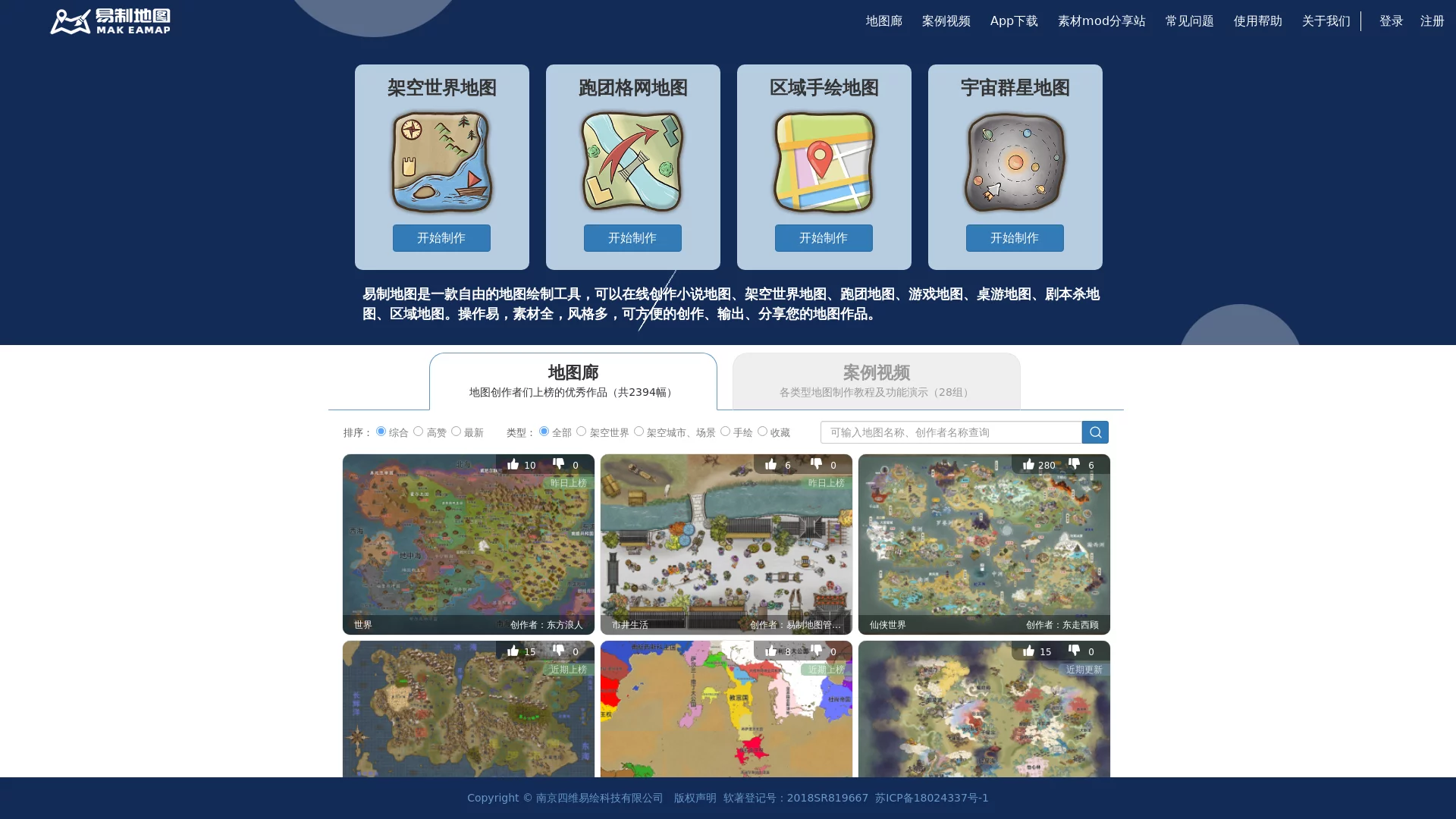
Do you want to create a world map for your novel, or quickly build a continent for tabletop RPGs or game projects? MakeAMap is exactly the online map-making tool designed for such needs. No download or installation required — just open your browser to start creating. It has a large library of built-in map elements, supports quick creation of various types including fantasy world maps, game maps, tabletop RPG maps, and business maps, and the finished works can be shared, exported, and printed at any time.
Official website: https://www.makeamap.cn/
One thing to note: you need to register and log in to use the platform, which has the benefit of linking your works to your account for easy cloud management; it also supports free export of the original created map, so you can save the finished map to your local device for free use, which is very user-friendly for individual creators.
Four common scenarios: See what you can do with it
Novel creation and tabletop RPGs: Bring your fantasy world to life
For web novel authors and tabletop RPG masters, an intuitive map is worth a thousand words. With MakeAMap, you can create novel maps, fantasy world maps, or tabletop RPG maps — the direction of mountain ranges, distribution of cities, and boundaries of factions can all be clearly presented on the canvas, allowing readers and players to grasp the layout of the entire world at a glance.
Game design: From worldbuilding to level sketches
Game maps are another common use case. Independent developers or planners can quickly draw large-world maps or regional maps in the early stages of a project to verify geographical logic and gameplay flow, which is more efficient than repeatedly revising text settings.
Business and regional planning: Present information visually on a map
In addition to creative uses, it is also suitable for drawing business maps and regional maps — for example, marking outlets on a base map or dividing service areas, making it applicable to various work scenarios such as regional planning and business presentations.
Key features: These designs are really user-friendly
- Material library and texture brushes: A huge collection of image materials paired with texture brush tools, covering elements like mountains, trees, cities, and monsters, with full freedom to adjust styles and colours.
- Multi-layer drawing: Manage terrain, annotations, and decorations in separate layers, making works more layered and allowing independent modifications later.
- Collaborative editing and sharing: Share maps with others for joint editing, which is convenient for team co-creation or building world settings with tabletop RPG groups.
- Auto-generate continents: When you lack inspiration, use the auto-generate fantasy continent tool to randomly create continent outlines, then refine them on this basis to get started quickly.
- Clear satellite map display: Zoom in and out to view map details, which is very useful for drawing realistic regions.
- Cross-device sync: Data is synced between the web version on desktop and mobile, so you can continue drawing on another device.
- Ad-free and free to use: No ads at all, and it supports local data saving as well as Amap and Baidu Maps navigation functions.
These combined capabilities cover the entire process from inspiration generation, material matching to collaborative output, which is also the core that distinguishes it from ordinary drawing software.
Beginner’s guide: Draw your first map in three steps
- Register and log in: Open the MakeAMap official website, register and log in to your account, then enter the editor to start creating.
- Choose type and set base map: Select a type like fantasy world, tabletop RPG, game, or business map based on your use case, then build the base using satellite maps or the auto-generate continent function.
- Add materials and layers: Pick elements like mountains, forests, and towns from the material library, refine textures with texture brushes, then add place names and annotations in layers.
Worried about not knowing how to operate? The platform provides detailed drawing tutorials and examples — follow the examples once and you can master the main drawing methods. After completion, you can export the image and save it to your local device, which is suitable for posting on social media, inserting into documents, or printing as a physical map.
FAQ
Is MakeAMap paid?
The software is completely free and ad-free. You can create works after registering and logging in, and it supports free export of the original created map, so there is basically no cost pressure for individual daily use.
Can I use it on mobile?
Yes. It supports cross-device sync between the desktop web version and mobile, so you can draw halfway on your phone and continue refining on your computer without any issues.
Can beginners draw well?
Absolutely. The tutorials and examples lower the threshold, and combined with functions like auto-generating continents and ready-made materials, beginners can produce decent works in a short time.
When you need a map for creation, instead of struggling to choose software, just open the MakeAMap official website, register and log in, start by auto-generating a continent, and let your inspiration land on the map first.