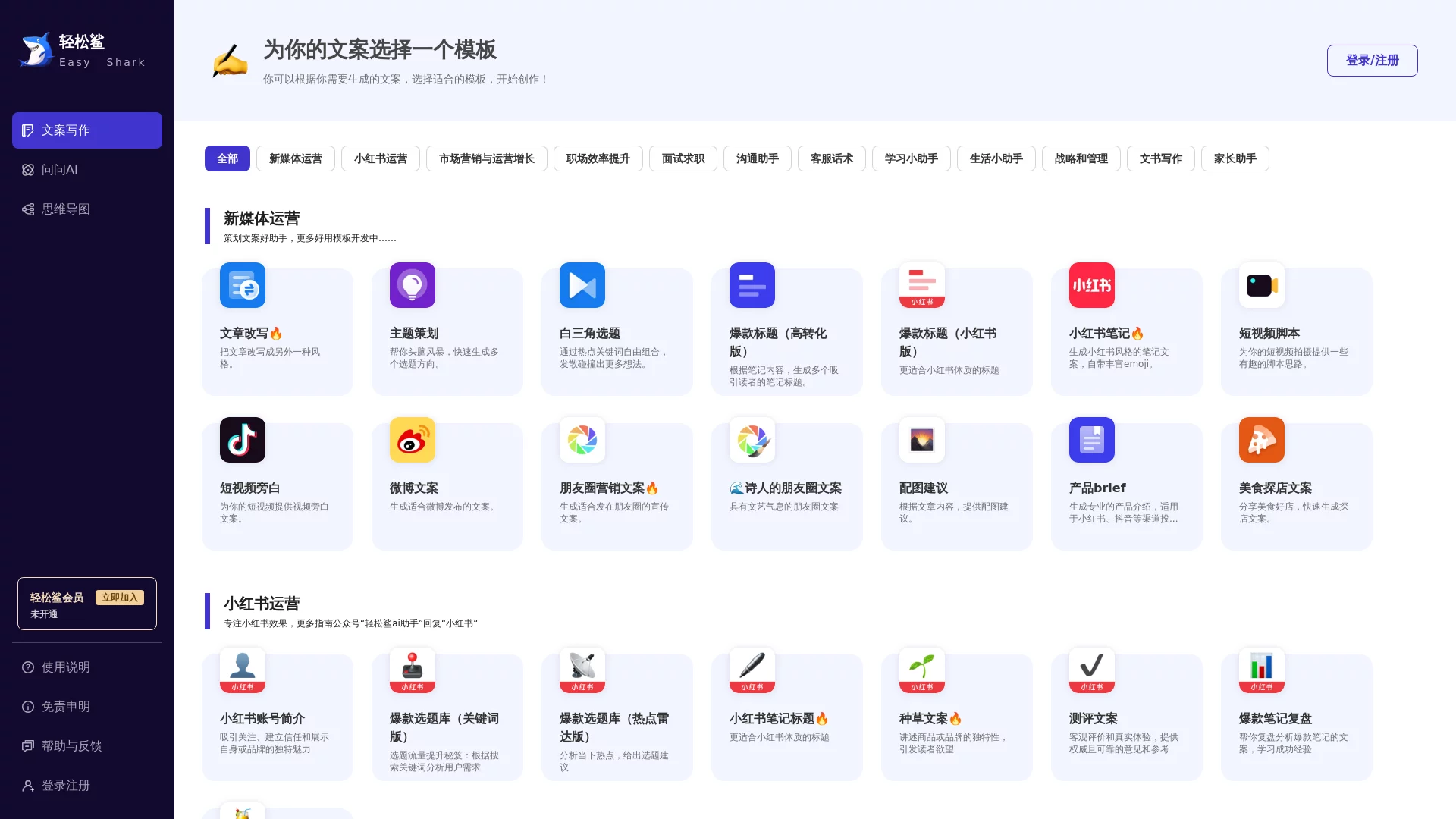
Qingsongsha AI AssistantXiaohongshu note writing, weekly report generator, CV templates, article rewriting, assigned-topic essays, AI chat
Screenshots

Staring at a blank document for half an hour, no inspiration for Xiaohongshu notes, struggling to squeeze three lines out of a weekly report, or revising your CV five times and still finding no highlights — these frustrating situations can all be solved with Qingsongsha AI Assistant.
Qingsongsha AI Assistant Official Website
Official website: https://www.qingsongsha.com/
You can start using it as soon as you open the official website — no complicated registration or configuration. Beginners can get started with just a few clicks. It is safe and stable throughout, with no messy restrictions.
Figure Out Your Needs First
What should I think about before choosing an AI tool?
Before choosing an AI tool, you need to sort out your own usage habits: do you prefer to state your needs as if chatting with a person, or would you rather skip the hassle and apply ready-made templates directly? Qingsongsha’s two core features correspond exactly to these two different choices, so there is no need to agonise over which to pick — just go with whichever feels more natural to you.
If you can describe your ideas in detail, for example “write me a 3,000-word new media operations plan that includes Q3 user growth data”, then conversational interaction will suit you better. There is no need to prepare complex prompts in advance — the AI can adjust the content based on what you say, and will not give irrelevant answers like traditional search tools do.
Conversational Interaction vs Template-based Creation
Is conversational interaction right for me?
This interaction style is completely different from traditional search: you state your needs in everyday spoken language, and the AI can understand them accurately. It covers many scenarios such as writing articles, making plans, writing emails, optimising CVs and translation. Its core advantage is that you can refine requirements at any time: first let the AI generate a plan framework, then add details for a specific section — as smooth as discussing face to face with a colleague.
- Supports multi-turn continuous conversations — interrupt and continue at any time without re-explaining the task background each time;
- You can create multiple conversation topics, so content from different tasks stays separate — for example, revising a CV while writing a weekly report without any interference;
- Results appear immediately after you ask — no long waits, saving plenty of time when you are rushing to meet a deadline.
What makes template-based creation hassle-free?
If you do not want to rack your brain over prompts, Qingsongsha’s template library is more hassle-free. These templates are polished by a professional team — ready to use as soon as you open them. Just fill in the information to generate content, with no need to build a structure from scratch. They suit people who dislike hassle, and even first-time AI tool users can get started quickly.
The templates cover almost all frequent daily scenarios: new media operations, marketing, job hunting and interviews, campus learning, e-commerce customer service, life and relationships, as well as corporate strategy and management content. They are updated at any time, so they will not become outdated after a few uses. Besides text templates, it can also generate mind maps with one click, helping you organise scattered notes, project structures and complex ideas clearly, without spending hours drawing mind maps yourself.
Practical Features for Everyone
Which specific features can different groups of people use?
Qingsongsha is more than a simple chat tool — it also offers many targeted features, usable for everything from content creation to everyday communication. Different groups can find the corresponding tools, so there is no need to fret over a blank page.
- Ask AI: answers various questions and provides professional reference advice;
- Xiaohongshu notes: generates copy in the platform’s style, with matching emojis;
- Viral titles: creates multiple eye-catching titles in batches based on the core of your content;
- Short video scripts: provides practical script ideas for all kinds of short videos;
- Daily and weekly report generator: quickly summarises work progress and plans;
- CV rewriting: optimises work experience following the STAR principle to boost competitiveness;
- Assigned-topic essays: writes articles to specified requirements, suitable for students and content creators;
- Reply to girlfriend: generates emotionally intelligent replies for everyday communication;
- SWOT analysis: helps sort out the strengths, weaknesses, opportunities and threats of a product or business.
What specific problems can I solve with it?
New media professionals can use it to speed up topic selection and copywriting, cutting in half tasks that would normally take hours; office workers can use it for reports, CV revisions and business analysis — useful for rushing projects, job hopping and organising work data; students can use assigned-topic essays, mind maps and campus learning templates, making it easy to do homework, organise knowledge points and structure thesis frameworks.
Even complete beginners can use it normally — it works right after opening, with no complicated operations to learn. Your previous questions are saved, and you can create conversations on different topics without mixing them up. Templates are updated at any time, so there is no worry about them becoming outdated. If you have specific formatting requirements, such as CV layout or thesis revisions, state the requirements clearly first, then generate a draft with the corresponding template, and finally check the details yourself — so both efficiency and personalisation are taken care of.
Unleash your creative inspiration — AI helps make it brilliant. The power of Qingsongsha AI Assistant goes far beyond this. Open the official website and explore the infinite possibilities of AI together.
Relevant Navigation