AD Recommendation
Join Now
Important: Please do not trust the content and ads of various websites easily! Recommended reading: Safety Tips
Aconvert
Scan to visit on your phone
3wks agoupdate 924 00
0

AconvertAconvert

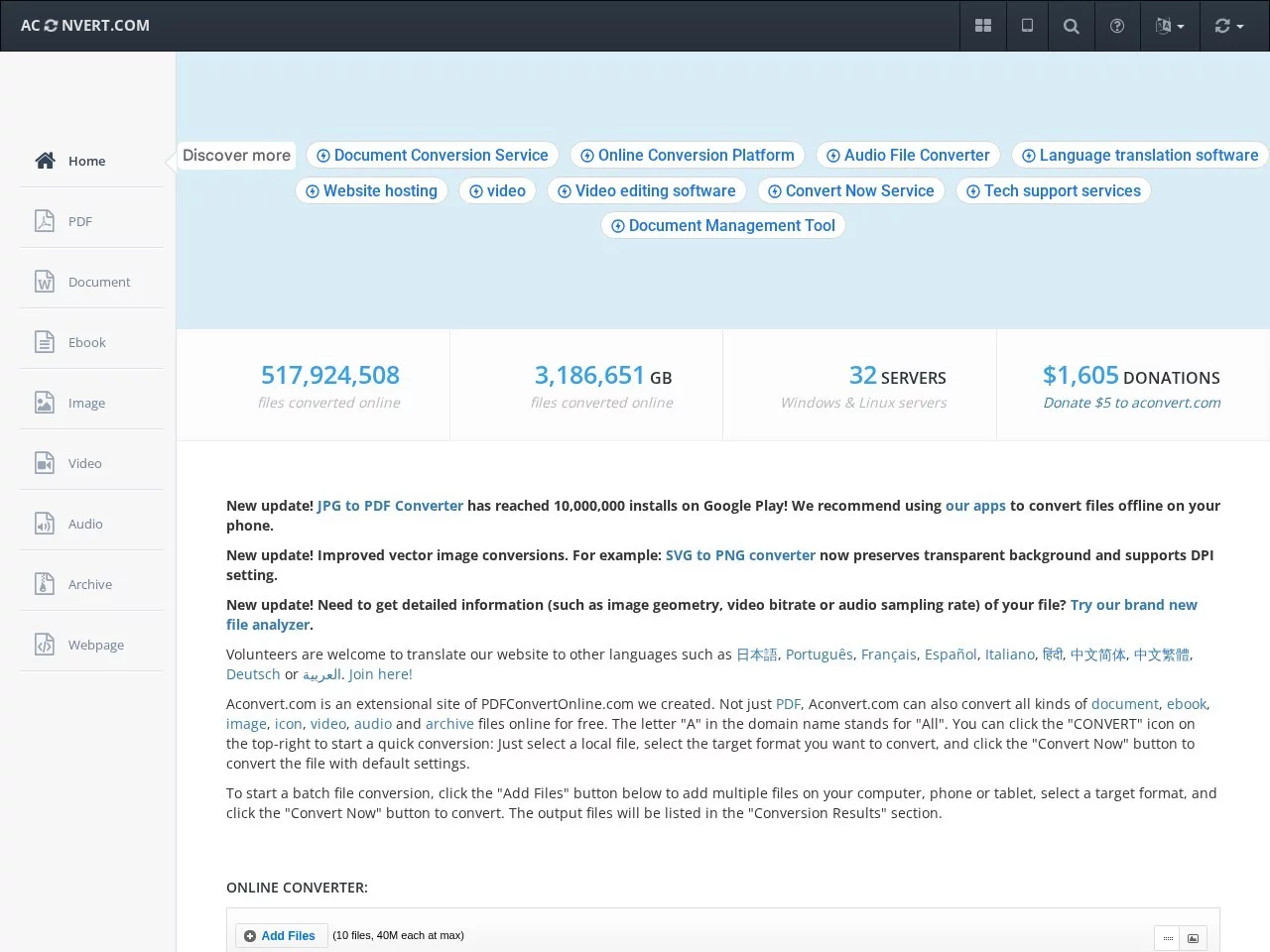
Supports conversion of multiple file types, including PDF, documents, e-books, images, videos, audio and compressed files, etc.


Screenshots

Aconvert

In daily office, study and entertainment scenarios, we often encounter file format incompatibility issues. For example, Word documents need to be converted to PDF for submission, videos shot on mobile phones cannot be imported into editing software, image resolutions do not meet platform requirements, etc. At such times, a reliable online file conversion tool becomes an essential necessity. As an online conversion tool covering all scenarios, Aconvert has become the first choice for many users with its advantages of no installation required and simple operation.

Effortless multi-format conversion for all scenarios

Official website: https://www.aconvert.com/cn/

When choosing a file conversion tool, many people first worry about whether the functions are comprehensive, after all, a single-format conversion tool can hardly meet diverse needs. Aconvert’s core advantage lies in its multi-functional support, covering almost all file type conversion scenarios used in daily life: from office commonly used document formats such as PDF, Word, Excel, PPT, to e-book formats like EPUB and MOBI, then to image types like JPG, PNG, GIF, video types like MP4, AVI, MOV, audio types like MP3, WAV, and even compressed file formats such as ZIP and RAR, all can be accurately converted.

For users with batch processing needs, Aconvert’s batch conversion function can greatly improve efficiency. For example, if you need to convert dozens of photos taken on a mobile phone to a unified format for printing, or organize multiple audio files into versions with the same bitrate, you only need to upload all files at once, set the target format, then start the conversion with one click, no need to operate one by one, saving a lot of time on repetitive work.

Secure and convenient user experience, balancing privacy and efficiency

As an online tool, besides functions, users care most about the security and convenience of use. Aconvert has made targeted optimizations in both aspects: first, no need to download and install any software, users only need to access the official website through a browser to use it directly. Whether it is Windows, Mac or Linux systems, even mobile browsers, it can operate smoothly, completely free from device restrictions, and will not occupy local storage space.

In terms of privacy and security, Aconvert’s design is also very thoughtful. It will not permanently store users’ uploaded files on the server; the converted files will be automatically deleted in a short time, minimizing the risk of users’ file data leakage. This is particularly important for files involving personal privacy or business secrets. At the same time, its operation process is very simple, even novices with no experience in using any tools can get started quickly: just upload the files to be converted, select the desired target format, click the “Start Conversion” button, wait a few seconds and you can download the converted files, with no complex setup steps throughout the whole process.

Special features and version options to meet different user needs

In addition to the basic format conversion function, Aconvert also provides many practical advanced functions to meet more fine-tuning adjustment needs. For example, when processing images, you can adjust the image resolution, quality, crop size or rotation angle; when processing audio, you can modify the bitrate, sample rate, and even intercept audio clips; when processing videos, you can also achieve video cropping, merging, or adjust the video resolution and frame rate.

For users with higher requirements, Aconvert also provides a paid version service. The paid version has certain improvements in conversion speed, file processing limits, etc., suitable for business users who need to frequently convert a large number of files, or professional users with higher requirements for conversion quality. However, for individual users, the functions of the free version are completely sufficient to deal with various daily conversion needs. Moreover, the free version does not limit the number of conversions, and also provides multilingual interfaces such as Simplified Chinese and Traditional Chinese, so domestic users have no language barrier when using it.

Practical tool for multiple scenarios, catering to both personal and business needs

Whether it is personal daily use, such as organizing e-book formats, converting photos for social platforms, or business scenarios, such as converting contract documents to a unified PDF format for submission, organizing meeting video materials, Aconvert can provide reliable support. It does not require users to spend time learning complex operations, nor does it need to worry about file security. It is an online file conversion tool that balances practicality, convenience and security.

Compared with other similar tools, Aconvert’s advantage lies in its functional comprehensiveness and operational simplicity. It neither has unnecessary complex features that interfere with novice users, nor does it fail to provide advanced adjustment options for users with fine-tuning needs. Coupled with the unlimited use of the free version, it makes it a practical tool that adapts to the needs of the vast majority of users.

Relevant Navigation

No comments

You must be logged in to leave a comment!
Login immediately
none
No comments...